
Download for Archer NX505
IMPORTANT:
Model and hardware version availability varies by region. Please refer to your TP-Link regional website to determine product availability.
- Product Overview
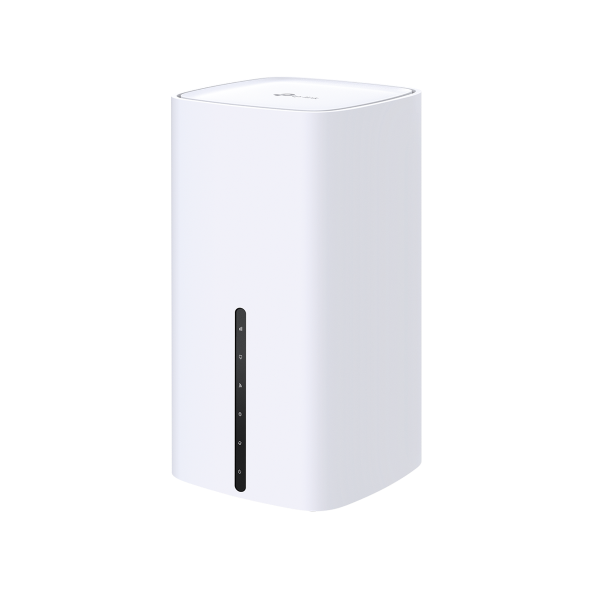 5G AX3000 Wireless Dual-Band Gigabit Router
FAQs
- How to Change Time Settings on the TP-Link 5G/4G LTE Router
- How to Install 4/5G External Antennas on 4/5G Router
- How to Use Wi-Fi Heatmap on the TP-Link Tether App
- How to Change Your TP-Link Device Admin Password
- How to set up 3G/4G/5G Backup on TP-Link LTE router under wireless router mode
- How to back up and restore the configuration file of TP-Link 5G/4G LTE Router
- How to set up VPN Client on computer and phone
- How to set up Port Forwarding on the Main router when VPN Server is set on the TP-Link Router and Deco
- Why do I receive a "We Noticed a New Login" email?
- Why do I need to give Local Network permission to TP-Link apps in iOS devices?
- No internet connection when the TP-Link 5G/4G Router is working with a SIM card
- Troubleshooting a Single Device Not Connecting to Your TP-Link Wireless Network
- How to Fix TP-Link Device Domain Name Login Issues
- How to Find the Model Number of Your TP-Link Device
- What If You Cannot Remotely Manage TP-Link Routers via TP-Link App?
- How to configure IPv6 of TP-Link Wireless 3G/4G/5G Router
- What should I do if I don’t receive the verification email for TP-Link ID registration or password reset?
- How to connect computers/phones to a wireless network
- How to Find the Serial Number (S/N) on Your TP-Link Device
- How to Find the Hardware Version on Your TP-Link Device
Emulators
Firmware Version |
Working Mode |
Language |
|
|---|---|---|---|
260203(EU) |
- |
Multi-language |
Note:
1. The emulator is a virtual web GUI where you can experience the TP-Link product management panel.
2. The listed emulators might not have the latest firmware.
3. The features displayed are for reference, and their availability may depend on local regulations. For more information, please refer to the datasheet or product page.