Does my device support the Omada app?
Follow the steps below to make sure the Omada app is supported on your Omada device.
1. Find out firmware version of your Omada device.
Follow the steps below to find the firmware version of your device ( Click here to know how to find the hardware versions) :
-
STEP1
Power on the EAP and connect to the SSID of the EAP wirelessly.
Tips: If your EAP is a brand new EAP, use the default SSID (format: Omada_2.4GHz/5GHz_XXXXXX) printed on the product label.

-
STEP2
Launch a web browser and enter http://omadaeap.net in the address bar.

-
STEP3
Enter the username and password of your EAP to log in.
Note: If your EAP is a brand new EAP, use the default username and password that are both admin.

-
STEP4
Go to the Monitoring > AP > Device Information page. You can view the Firmware Version as the following figure shows. The Build number indicates the released date, for example, 20180411 means the released date is April 11th, 2018.

2. Check compatibility
View the compatible devices list below to check if your device is compatible with Omada app. Please click the device image and check if you have the latest firmware. If not, download the latest firmware and follow the instructions in Step 3 to upgrade it.
Note 1: Both listed and higher hardware versions of these models are compatible with Omada APP.
Note 2: All the access points listed below are compatible with Omada App in both controller and standalone modes. While all the switches and routers listed below are compatible with Omada App only in controller mode.
*EAP245 V1, EAP225 V2/ V1, EAP115 V2/ V1, EAP110 V2/ V1, and EAP110-Outdoor V1 are also compatible with Omada App in standalone mode.
Access Points (Compatible in Controller and Standalone Modes)
-
4.0-F_normal_1593323197059j.png)
EAP225 V3*
Point d'accès WiFi Mesh bi-bande AC1350 PoE Gigabit - Plafonnier
-
4.0-F_normal_1593323206680k.png)
EAP245 V3*
AC1750 Wireless MU-MIMO Gigabit Ceiling Mount Access Point
-

EAP660 HD
Point d'accès WiFi 6 - AX3600 bi-bande Multi-Gigabit plafonnier
-

EAP225-Wall V2
Point d'accès mural WiFi AC 1200 Mbps MU-MIMO PoE
-

EAP620 HD
Point d'accès WiFi 6 AX1800 plafonnier
-

EAP610 V3
Point d'accès plafonnier WiFi 6 AX1800 bi-bande
-

EAP230-Wall
Point d'accès WiFi AC1200 Gigabit mural Omada MU-MIMO
-

EAP615-Wall
Point d'accès WiFi 6 AX1800 mural
-

EAP723
Point d'accès WiFi 7 BE3600 plafonnier
-

EAP773
Point d'accès WiFi 7 BE9300 Tri-Bande plafonnier
-

EAP783
Point d'accès WiFi 7 BE19000 Tri-Bande plafonnier
-

EAP772
Point d'accès WiFi 7 tri-bande BE11000 plafonnier
-

EAP653 UR
Point d'accès WiFi 6 AX3000 plafonnier
-

EAP683 UR
Point d'accès WiFi 6 AX6000 plafonnier
-

EAP673
Point d'accès WiFi 6 AX5400 plafonnier
-
EAP683 LR
Point d'accès WiFi 6 AX6000 plafonnier
-
_normal_20231207104042m.png)
EAP680
Point d'accès WiFi 6 AX6000 plafonnier
-

EAP670
Point d'accès WiFi 6 AX5400 bi-bande plafonnier
-

EAP650
Point d'accès WiFi 6 AX3000 plafonnier
-
4.0-F_normal_20221109110336g.png)
EAP223
Point d'accès WiFi AC1350 MU-MIMO Gigabit plafonnier
-

EAP653
Point d'accès WiFi 6 AX3000 plafonnier
-

EAP615-WE
Point d'accès WiFi 6 AX1800 mural
-

EAP655-Wall
Point d'accès WiFi 6 AX3000 mural
-

EAP650-Wall
Point d'accès WiFi 6 AX3000 mural
-
EAP235-Wall
Point d'accès WiFi AC1200 mural Omada MU-MIMO Gigabit
-

EAP115-Wall
Point d'accès WiFi N 300 Mbps PoE mural
-

EAP623-Outdoor HD
Point d'accès WiFi 6 AX1800 Indoor/Outdoor
-

EAP625-Outdoor HD
Point d'accès WiFi 6 AX1800 Indoor/Outdoor
-

EAP650-Outdoor
Point d'accès WiFi 6 AX3000 Indoor/Outdoor
-

EAP610-Outdoor
Point d'accès WiFi6 AX1800 Indoor/Outdoor IP67
-

EAP225-Outdoor
Point d'accès WiFi Mesh AC1200 MU-MIMO Gigabit Extérieur (IP65)
-

EAP110-Outdoor *
Point d'accès WiFi N 300 Mbps Extérieur (IP65)
-

EAP215-Bridge KIT
Pont WiFi 5 GHz 867 Mbps longue portée
-
EAP211-Bridge KIT
Pont WiFi 5 GHz 867 Mbps
-

EAP115-Bridge KIT
Pont WiFi 5 GHz Omada longue portée 300 Mbps
-

EAP613
Point d'accès WiFi 6 AX1800 plafonnier
-
4.0-F_normal_1593323223226a.png)
EAP265 HD
Point d'accès WiFi AC1750 MU-MIMO Gigabit plafonnier
Tout Montrer 37 Access Points (Compatible in Controller and Standalone Modes)
Switches (Compatible in Controller Mode)
-

TL-SG3428MP
Switch JetStream administrable 28 ports Gigabit L2 avec 24 ports PoE+
-

SX6632YF
Switch administrable L3 stackable Omada 26 ports 10G avec 6 emplacements 25G
-
1.0_Omada_Enterprise_L3_Switch-1000px_normal_20231110111227a.png)
SG6428X
Switch administrable L3 Omada 24 ports Gigabit stackable avec 4x slots 10G
-
1.0_Omada_Enterprise_L3_Switch-1000px_normal_20231110114352k.png)
SG6428XHP
Switch administrable L3 Omada 24 ports Gigabit Stackable avec 4x slots 10G
-
1.0_Omada_Enterprise_L3_Switch-Front_normal_20231109113449q.png)
SG6654X
Switch administrable L3 Omada 48 ports Gigabit Stackable avec 6x slots 10G
-
1.0_normal_20231110073416j.png)
SG6654XHP
Switch administrable L3 Omada 48 ports Gigabit Stackable PoE+ avec 6x slots 10G
-

TL-SG3428XF
Switch administrable JetStream 24 ports SFP L2+ avec 4 emplacements SFP+ 10GE
-

TL-SX3016F
Switch administrable JetStream 16 ports 10GE SFP+ L2+
-
1.0_01_normal_1617243824293n.png)
TL-SX3008F
Switch administrable JetStream 8 ports 10GE SFP+ L2+
-

SX3832
Switch administrable L2+ Omada 24 ports 10GBASE- avec 8 slots SFP+ 10GE
-

SX3832MPP
Switch administrable L2+ Omada 32 ports 10GE L2+ avec 24 ports PoE++
-

TL-SX3206HPP
Switch administrable JetStream 6 ports 10GE L2+ dont 4 ports PoE++
-
1_normal_20240416214256n.png)
SG3428X-M2
Switch administrable Omada 24 ports 2,5GBASE-T L2+ avec 4 emplacements SFP+ 10GE
-
1.0_Omada_2.5G_Switch-1000px_normal_20231109030542p.png)
SG2210XMP-M2
Smart Switch Omada 8 ports 2.5GBASE-T et 2 ports 10GE SFP+ avec 8 ports PoE+
-
_1.0-Package(灰)_normal_20230328102811l.png)
TL-SG3428X-M2
Switch administrable 24 ports 2.5GBASE-T L2+ avec 4x slots SFP+ 10GE
-

TL-SG3210XHP-M2
Switch administrable Niveau L2+ JetStream 8 ports PoE+ 2.5G et 2 ports SFP+ 10G
-

SG3218XP-M2
Switch administrable Omada 16 ports 2,5G et 2 ports 10GE SFP+ L2+ avec 8 ports PoE+
-

SG3452XMPP
Switch administrable Omada Gigabit 48 ports et 10GE SFP+ L2+ 4 ports avec PoE+ 40 ports et PoE++ 8 ports
-

TL-SG3428X
Switch administrable JetStream L2+ 24 ports Gigabit avec 4 emplacements SFP+ 10GE
-
1.0_Gigabit_Switch_normal_1606214714802r.png)
TL-SG2218
Smart Switch JetStream 16 ports Gigabit Smart avec 2 slots SFP
-

TL-SG3452P
Switch administrable L2+ 52 ports Gigabit avec 48 ports PoE+
-
1.0_Overviews_normal_1594869465633b.png)
TL-SG2008P
Smart Switch JetStream 8 ports Gigabit avec 4 ports PoE+
-
1.0_normal_1594869351357s.png)
TL-SG2210MP
Smart Switch JetStream 10 ports Gigabit avec 8 ports PoE+
-

ES206GP
Easy Switch administrable Omada 6 ports Gigabit avec 4 ports PoE+
-

ES228GMP
Switch 28 ports Gigabit Omada facile à gérer avec 24 ports PoE+
-

ES210GMP
Switch 10 ports Gigabit Omada facile à gérer avec 8 ports PoE+
-

ES220GMP
Switch Omada Gigabit 20 ports facile à gérer avec 16 ports PoE+
-

ES205GP
Easy Switch administrable Omada 5 ports Gigabit avec 4 ports PoE+
-
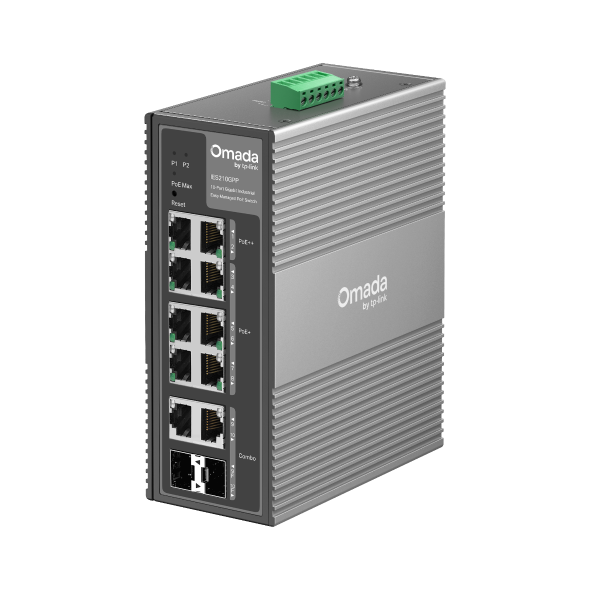
IES210GPP
Switch industriel Gigabit Omada 10 ports facile à gérer avec 6 ports PoE+ et 2 ports PoE++
-

TL-SG3428XMP
JetStream 24-Port Gigabit and 4-Port 10GE SFP+ L2+ Managed Switch with 24-Port PoE+
-

TL-SG2428P
Smart Switch JetStream 28 ports Gigabit avec 24 ports PoE+
Tout Montrer 31 Switches (Compatible in Controller Mode)
Routers (Compatible in Controller Mode)
-

TL-R605
Routeur SafeStream VPN Multi-WAN Gigabit
-

ER7412-M2
Routeur VPN Omada Multi-Gigabit
-
1.0_normal_1609659027171k.png)
ER7206
Routeur VPN Multi-WAN Omada Gigabit avec 1 port SFP
-

ER8411
Routeur VPN Multi-WAN Omada avec ports 10G
-
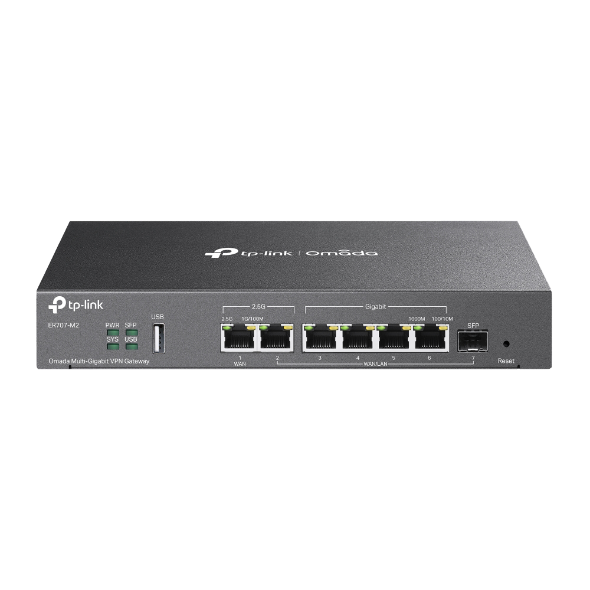
ER707-M2
Routeur VPN Omada Multi-Gigabit
-

ER605
Routeur VPN Multi-WAN Omada Gigabit
-

ER7406
Routeur VPN de bureau/rackable Gigabit Omada
-

ER7212PC
Contrôleur / Routeur VPN Gigabit 3 en 1
Tout Montrer 8 Routers (Compatible in Controller Mode)
Routers (Compatible in Controller and Standalone Modes)
-
1.0_01_normal_20231207030929b.png)
ER706W
Routeur VPN Omada AX3000 Gigabit
-

ER703WP-4G-Outdoor
Routeur 4G+ Cat6 WiFi 6 AX3000 extérieur/intérieur Omada
-

ER706W-4G
Routeur VPN Omada 4G+ Cat6 WiFi AX3000 Gigabit
3. Upgrade the firmware of your Omada device.
Follow the steps below to upgrade the firmware of your device:
-
STEP1
Power on the EAP and connect to the SSID of the EAP wirelessly.
Tips: If your EAP is a brand new EAP, use the default SSID (format: Omada_2.4GHz/5GHz_XXXXXX) printed on the product label.

-
STEP2
Launch a web browser and enter http://omadaeap.net in the address bar.

-
STEP3
Enter the username and password of your EAP to log in.
Note: If your EAP is a brand new EAP, use the default username and password that are both admin.

-
STEP4
Go to the System > Firmware Update page. Click the button, locate and choose the correct firmware file from your host. Then click the button to update the firmware of the EAP. After upgraded, the EAP will be rebooted automatically.
