How to Upgrade the AP Database for TP-LINK AC Controller
TP-LINK AC controller with earlier version of AP database may not be able to manage the latest CAP models with the latest firmware or hardware version. When you got the message “Unrecognized AP has been detected. Please upgrade the AP Database” on the AC Controller’s Web Page, that means you need to download the latest version of the AP Database from TP-LINK official Website and have a upgrade. Please go to Download Center to download the databse.
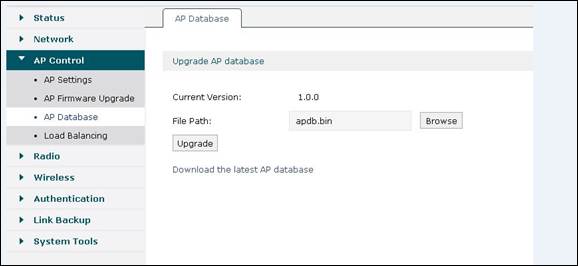
Please go to “AP Database” page, and upload the latest AP database of TP-LINK AC controller which can be downloaded from TP-Link official website.
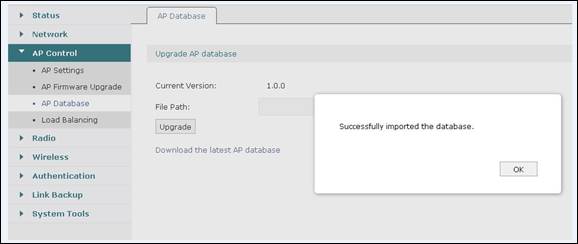
Note: While upgrading, do not power off AC controller or unplug the Ethernet cable.
Więcej
Czy ten poradnik FAQ był pomocny?
Twoja opinia pozwoli nam udoskonalić tę stronę.

TP-Link Community
Still need help? Search for answers, ask questions, and get help from TP-Link experts and other users around the world.
z United States?
Uzyskaj produkty, wydarzenia i usługi przeznaczone dla Twojego regionu.