General questions about playback of Tapo Dual-Lens cameras
 12986
12986Q1: Why do detection events in Tapo playback sometimes appear in pairs and sometimes just individually?
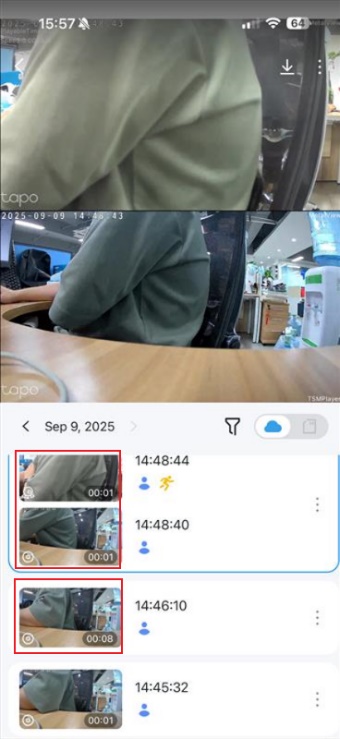
A1: The two lenses of the camera detect events separately. If only one lens triggers detection during a certain period, only that lens’s event will appear. If both lenses trigger detection within the same period, the events will appear as a pair.
Q2: Will the Tapo Care charge for a dual-lens camera be more expensive?
A2: The current strategy of Tapo Care is to purchase a plan with a specific number of cameras first, and then add the camera to the plan to take effect. One dual-lens camera charges the same as other monocular cameras.
Q3: How to view the SD card playback of two lenses on the computer
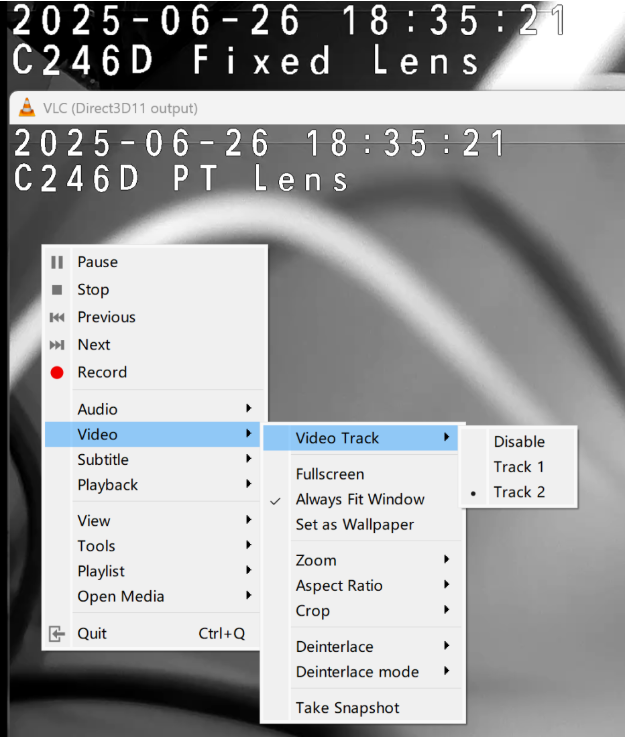
A3: The SD card recording of the dual-lens camera uses dual-track synchronous recording. You can switch the video track on the player to view the recording of the fixed or PT lens. For different video players, the setting path is different. Here, we take VLC and PotPlayer as an example:
VLC:
Right-click and select Video >> Video Track
Track 1: Fixed Lens
Track 2: PT Lens
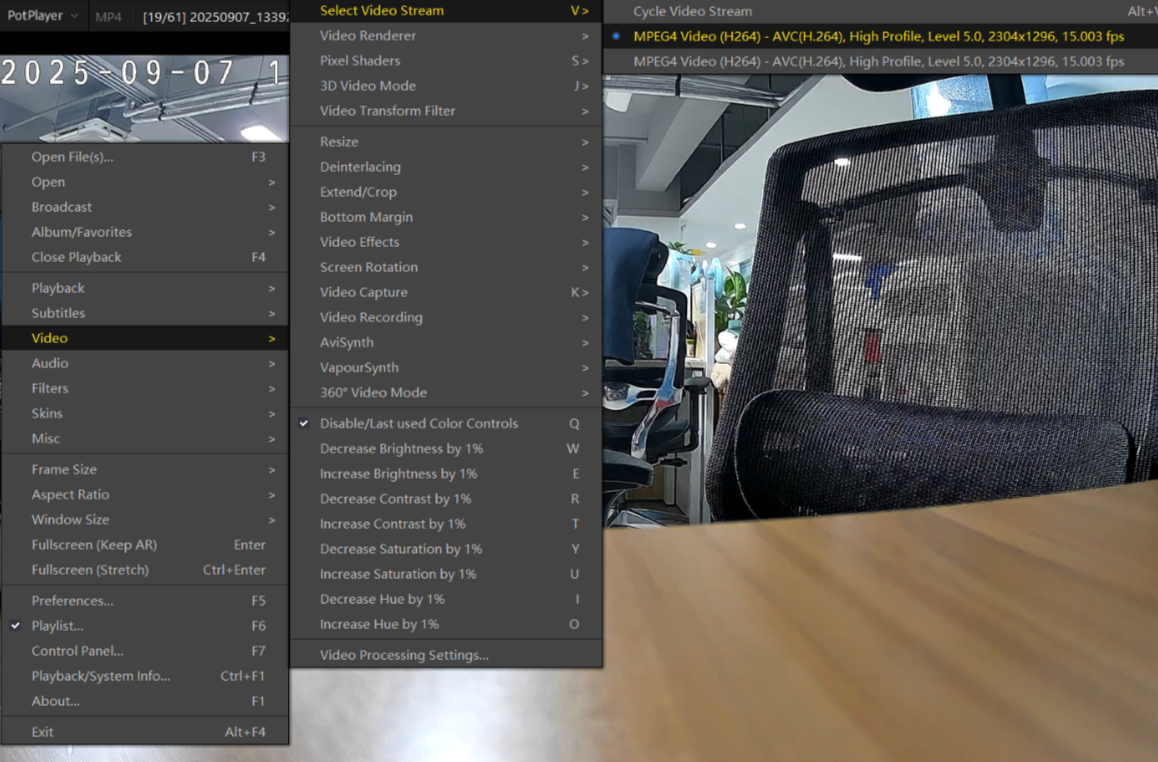
PotPlayer:
Right-click and select Video >> Select Video Stream to switch between the Fixed and PT lens.
Stream 1: Fixed Lens
Stream 2: PT Lens
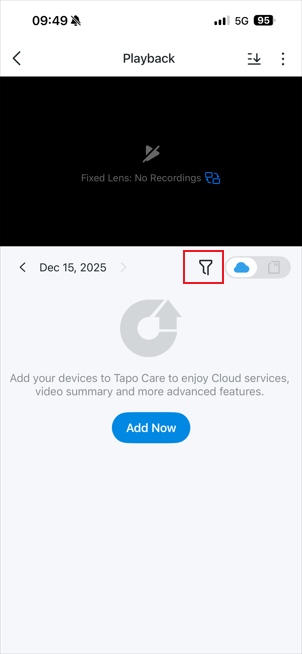
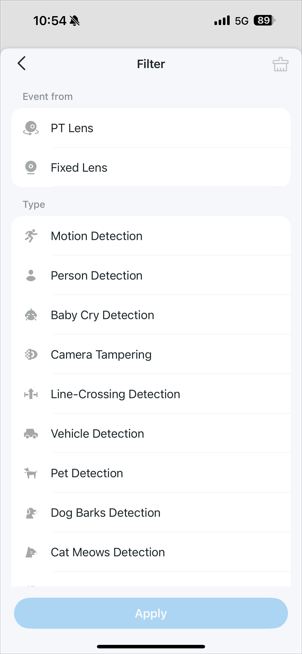
Q4: How to filter events based on detection type and lens on the Playback page
A4: On the Playback page, tap the Cloud/SD Card Playback icon, then tap the Filter icon. You can filter events by detection type and lens.
Note: Support for filtering playback videos recorded on the SD card by event type may vary by model. Please refer to the app display for accurate information.
Este guia foi útil?
A sua resposta ajuda-nos a melhorar o nosso site.
