What Is VIGI? A Complete Introduction to the VIGI Security System
Contents
Introduction
VIGI is dedicated to providing small and medium-sized enterprises with simple, intelligent, professional, and reliable surveillance solutions, products, and services. Following the “4E” design principle—Easy Planning, Easy Installation, Easy Setup, and Easy Maintenance—VIGI solutions help enhance security and support business growth. The VIGI portfolio includes cameras, NVRs, solar power systems, management systems, and configuration and project design tools, tailored for a wide range of scenarios such as retail stores, hotels, schools, restaurants, and offices.
Requirements
- VIGI Cameras, VIGI NVR, VIGI Power System
- VIGI App, VIGI Cloud VMS, VIGI Config Tool, or VIGI Project Design Tool
Overview
VIGI’s three main types of products, VIGI Camera, VIGI NVR, and VIGI Solar Panel, form an all-round surveillance network.
The VIGI ecosystem consists of three key components:
- VIGI Devices, including Cameras, NVRs, and Solar Power Systems
- VIGI Software, including VIGI App, VIGI Cloud VMS, VIGI VMS Software, and VIGI PC Client
- VIGI Tools, including VIGI Config Tool and VIGI Project Design Tool
Together, these components help users deploy, manage, and maintain surveillance systems across various business environments.
VIGI Devices
-
VIGI Camera
VIGI offers a variety of camera products, including dome cameras, bullet cameras, turret cameras, PT cameras, and fisheye cameras. Many models come with different lenses, which can meet the needs of different scenarios. Let’s see some examples: the VIGI Insight series stands out with its advanced AI features, such as People Counting, People & Vehicle Attributes Analytics, and Face Analysis; the VIGI ColorPro Night Vision series excels at capturing vivid colors and clear video, even in ultra-low-light conditions. For more product details, go to Cameras | TP-Link.
-
VIGI NVR
A VIGI NVR is a centralized video surveillance device that provides camera management, video recording, storage, decoding, live view, and playback. It supports concurrent multi-channel recording and playback for connected cameras. Selected models also feature integrated PoE ports, enabling power and data transmission over a single Ethernet cable to simplify cabling and deployment. For more product details, go to Video Recorders | TP-Link.
-
VIGI Solar Power Systems
VIGI solar power products offer flexible choices of cameras and network devices to simplify installation, and users can remotely monitor and manage devices through the VIGI App or VIGI Cloud VMS. VIGI’s solar system controllers and grade-A monocrystalline silicon solar panels ensure higher charging and conversion efficiency. For more product details, go to Solar Power System | TP-Link.
VIGI Software
-
VIGI App
VIGI App provides convenient access to VIGI devices and VIGI VMS. With VIGI App installed on your Android/iOS phone or pad, you can access and manage VIGI devices easily.
VIGI App supports both local management and cloud management. Even without logging into the App via the TP-Link ID, you can manage VIGI devices connected to the same network with your phone/pad. After binding a TP-Link ID, you can remotely access and manage VIGI devices through the cloud.
-
VIGI VMS
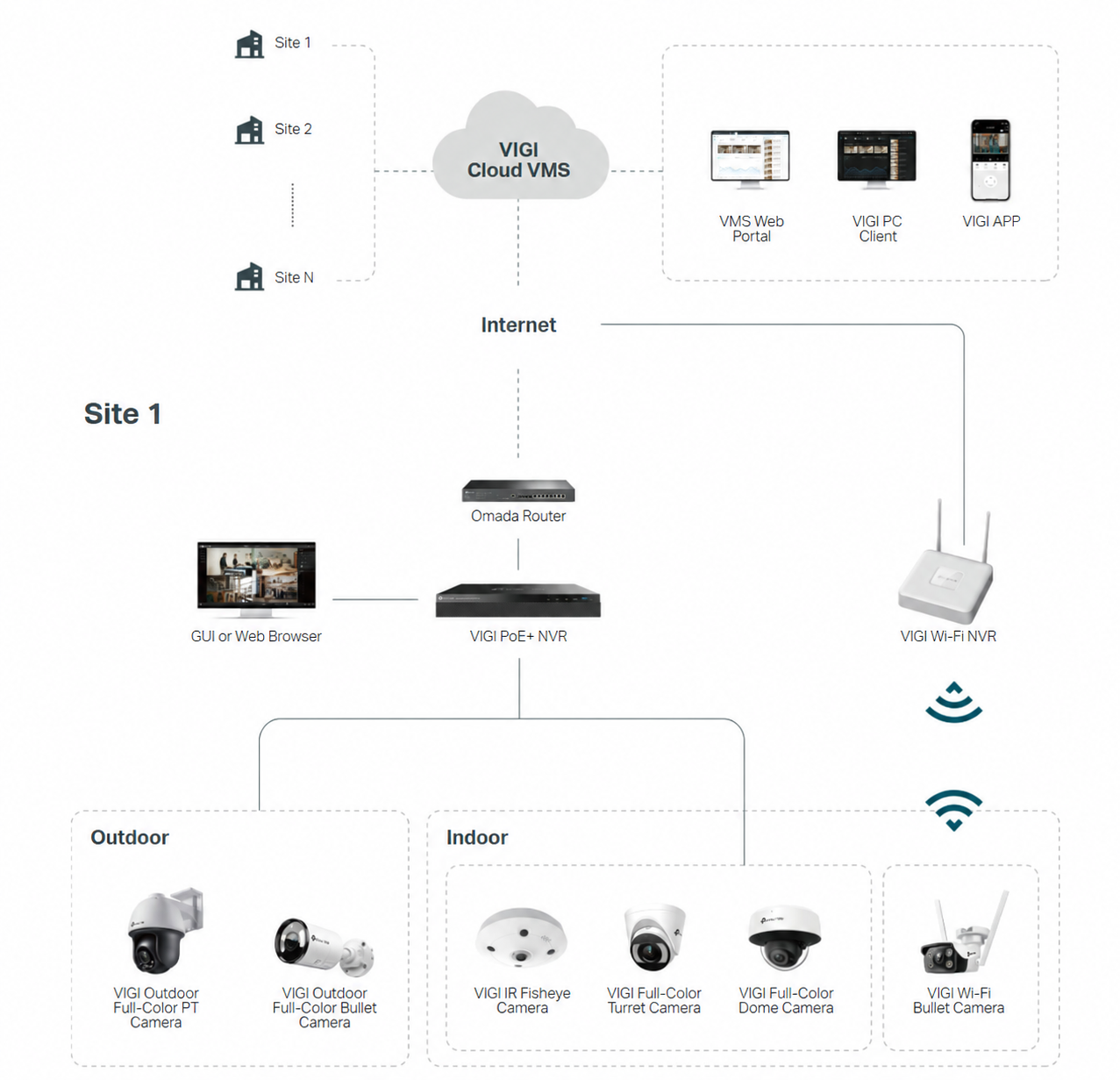
VIGI Cloud VMS is a cloud-based video management system deployed on AWS. It enables centralized and remote management of VIGI devices across multiple sites without local server deployment or a VPN. It provides device management, real-time video monitoring, video playback, event management, the Design Tool, and user permission management, making it suitable for distributed, multi-site surveillance projects.
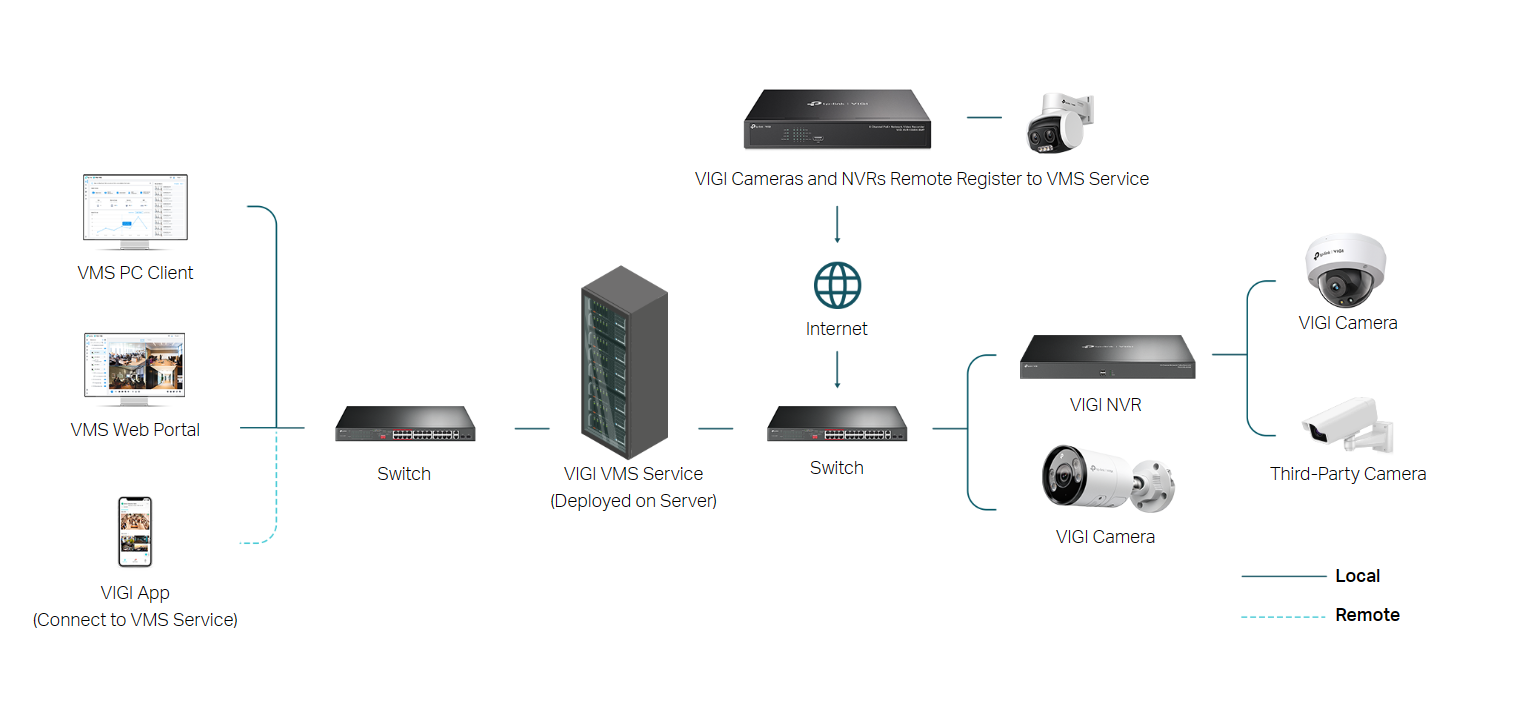
VIGI VMS Software is a locally deployed video management system that runs on Windows. It provides centralized device access and management, real-time video monitoring, alarm event management, video playback, multi-user access, multi-site management, and remote management. It is suitable for surveillance projects that require centralized management through a locally deployed system.
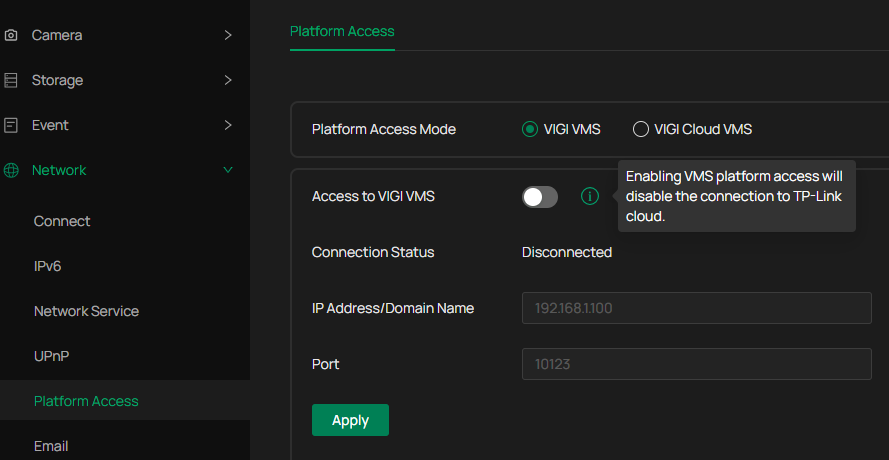
Note: After a cloud account is bound to VIGI VMS Software, the managed VIGI devices will be disconnected from TP-Link Cloud and centrally managed through Local VMS. Remote management and access should be performed through the Local VMS platform after the migration.
-
VIGI PC Client
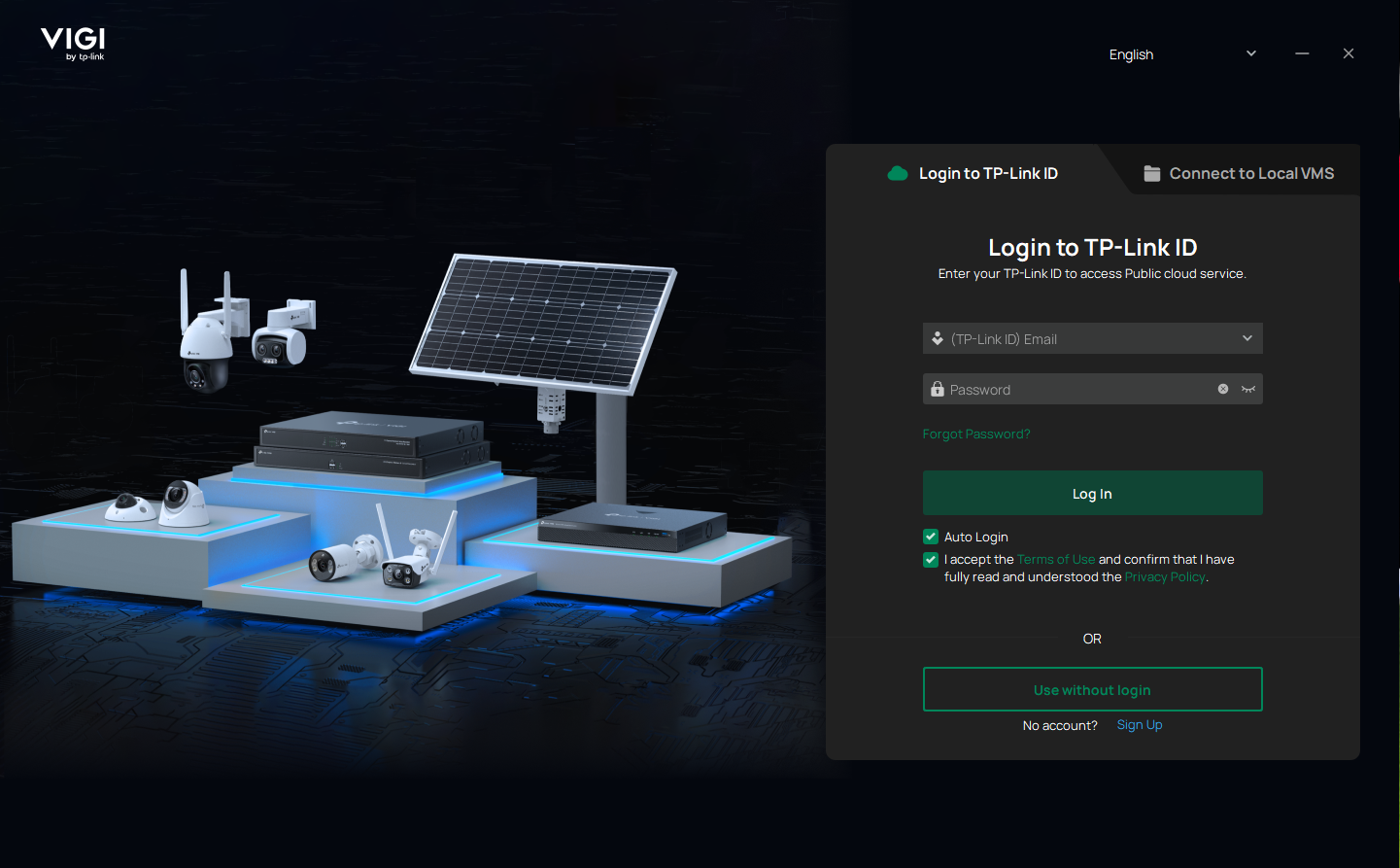
VIGI PC Client is a Windows-based video surveillance client application that provides a stable video viewing experience. It supports live view, video playback, video export, and device management. It supports Use without Login, Personal Edition, VIGI VMS, and VIGI Cloud VMS modes, allowing users to switch freely to unify device control and adapt security management across all scenarios.
VIGI Tools
-
VIGI Config Tool
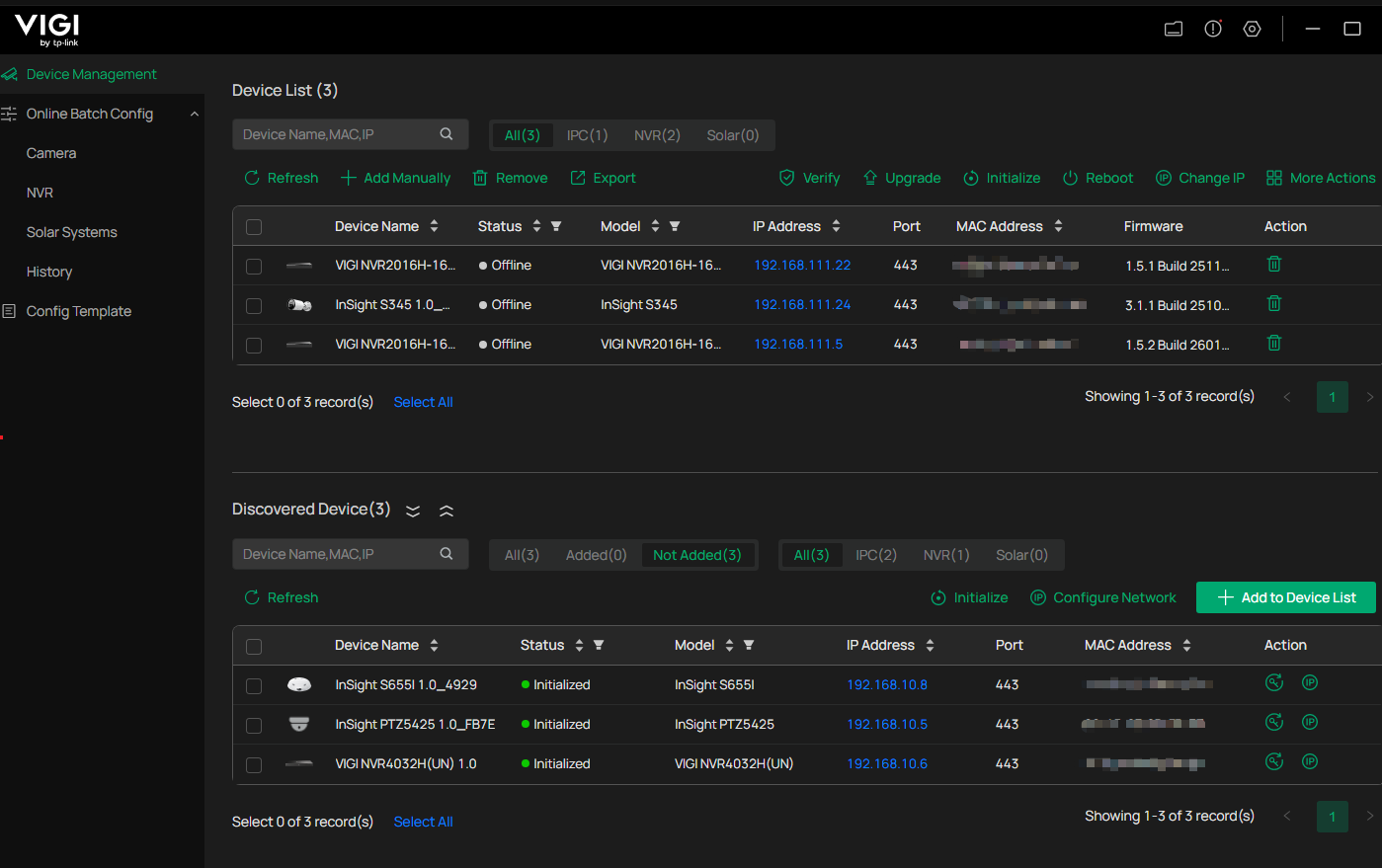
VIGI Config Tool is a device discovery and management utility designed to simplify the deployment and maintenance of VIGI devices.
Key capabilities include:
- Automatically discover VIGI devices on the local network
- Support batch device management and configuration
- Configure device settings and upgrade firmware efficiently
- Create and apply reusable configuration templates
- Export detailed device information for deployment and maintenance tasks
VIGI Config Tool is particularly useful for installers and administrators managing multiple devices, helping reduce deployment time and simplify ongoing maintenance.
-
VIGI Project Design Tool
VIGI Project Design Tool helps users plan surveillance deployments more efficiently during the project design phase.
Key capabilities include:
- Quickly select cameras and NVRs using rich filtering options
- Simulate camera coverage and reduce monitoring blind spots
- Optimize camera placement with 3D View and Pixel Density analysis
- Generate professional project proposals, including device lists, floor plans, and installation guides
- Support multi-project management and team collaboration through VIGI Cloud VMS
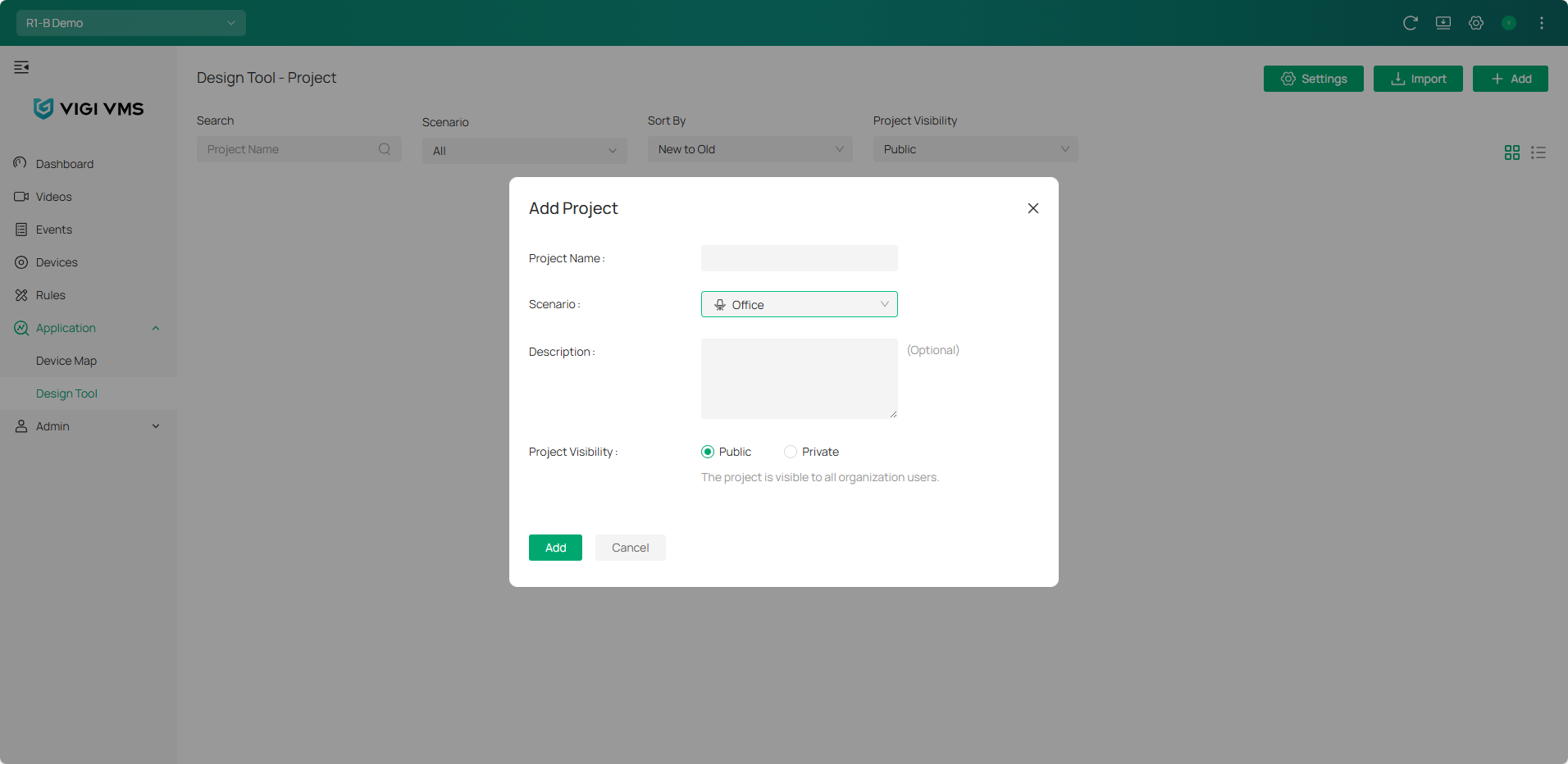
Here, we take VIGI Cloud VMS as an example. You can navigate to VIGI Cloud VMS > Application > Design Tool, then Add Project:
Conclusion
VIGI provides a complete surveillance ecosystem, including cameras, NVRs, solar power systems, management platforms, and deployment tools. With the VIGI App, VIGI VMS, VIGI PC Client, VIGI Design Tool, and VIGI Config Tool, users can efficiently deploy, manage, and maintain surveillance systems across different environments.
To learn more about each function and configuration, please visit Support Home to download or check the manual for your product.
Looking For More
¿Es útil esta pregunta frecuente?
Sus comentarios nos ayudan a mejorar este sitio.



TP-Link Community
Still need help? Search for answers, ask questions, and get help from TP-Link experts and other users around the world.