How to Change Time Settings on the TP-Link Deco
When you move the Deco from one region to another, its time settings may differ from the actual time. You can use the following methods to manually adjust the time settings to ensure your Deco device's time is set correctly.
Key Takeaways
- Change the Deco time settings through the Deco web management page or the Deco app.
- Select the correct time zone to ensure Deco displays the correct local time.
- Verify the displayed router time after saving the settings.
Configuration
Method 1: Via Web Management Page
1. Log in to the Deco web management page.
Open Chrome, Firefox, or Edge for the best compatibility with the web management page. Type one of the following addresses directly into your browser's address bar and press Enter:
- tplinkdeco.net
- 192.168.68.1
Do not enter these into a search engine — they must be typed into the address bar to reach the router setup page. If you run into trouble reaching the page, see How to Fix TP-Link Device Domain Name Login Issues for troubleshooting help.
For additional guidance on logging in, see How to Log In to Your TP-Link Deco Web Management Page.
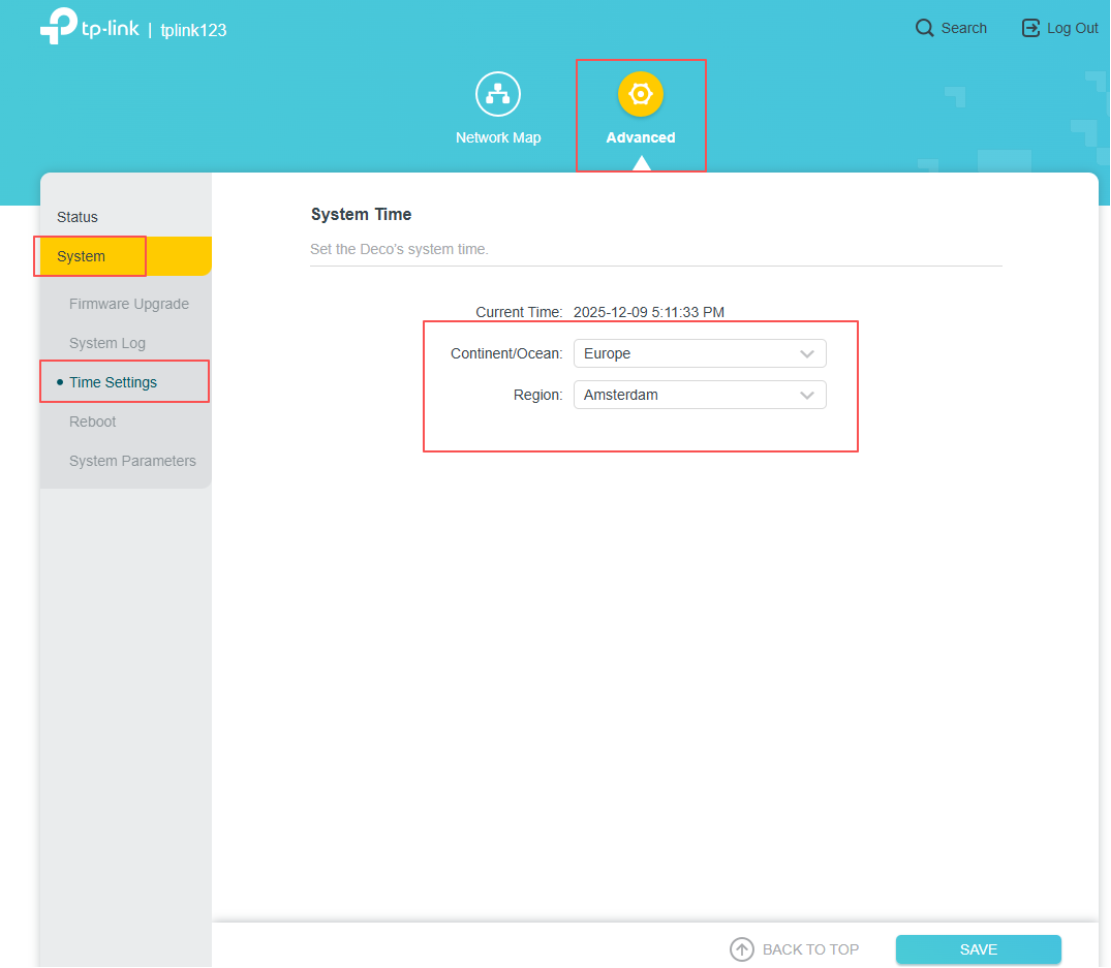
2. Click on Advanced > System > Time Settings, select the correct Continent and Region, then click on Save.
Wait for 10 seconds until you see the notification Operation Succeeded. Refresh the page, and the time settings will update to the correct time.
Method 2: Via Deco App
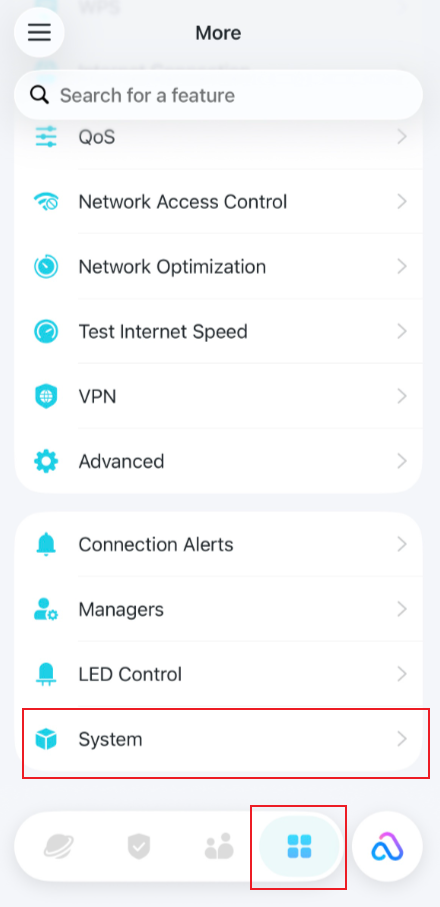
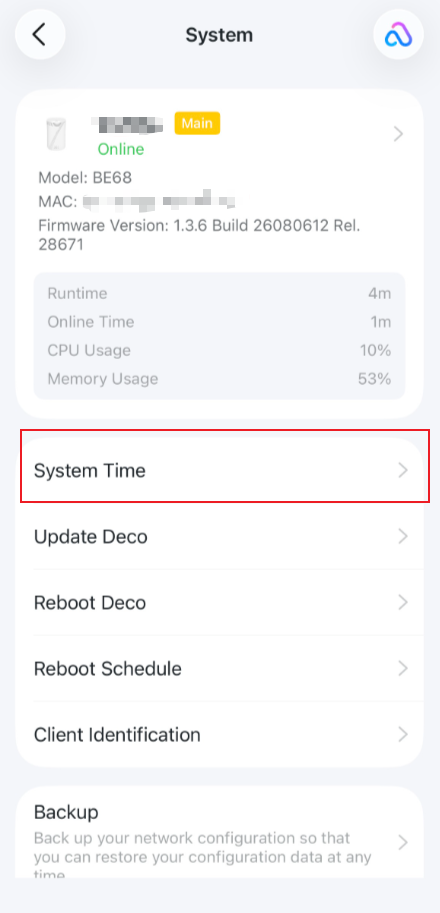
Log in to the Deco app with your TP-Link ID, and go to More > System > System Time > Time Zone to change the time settings.
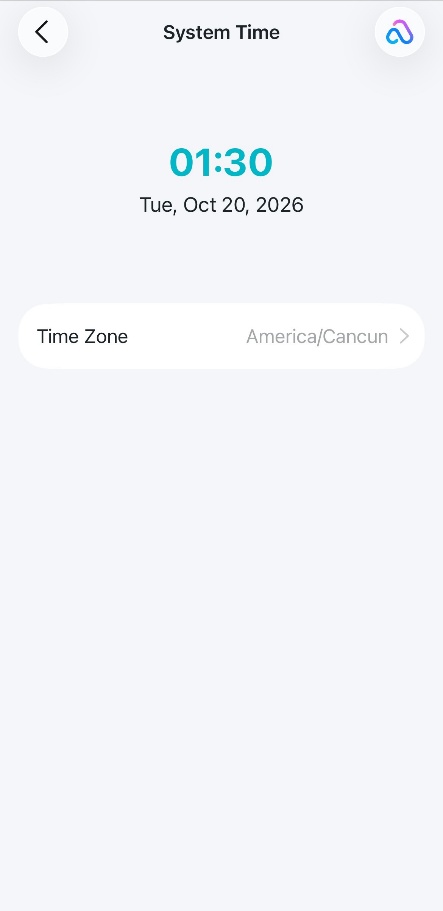
Note: Not all Deco models support changing the time zone within the Deco app. If you do not see this option in the app, please refer to Method 1 to change the time zone.
To get to know more details of each function and configuration, please go to the Download Center to download the manual for your product
Looking For More
هل تجد هذه الأسئلة مفيدة؟
مشاركتك تساعدنا في تحسين الموقع
_Overview_normal_20230724014922u.png)


TP-Link Community
Still need help? Search for answers, ask questions, and get help from TP-Link experts and other users around the world.