如何在 TP-Link Deco 上設定 IoT 網絡
建立專用無線網路來管理所有 IoT 設備,例如智慧燈泡和攝影機,增強它們的連接穩定性和安全性。
請依照以下步驟在 Deco App(iOS 或 Android)中設定 IoT 網路。
注意:
- 不同 Deco 型號的功能可能有所不同。
- 根據您裝置的作業系統,步驟可能有所不同。這裡我們以 iOS 系統為例。
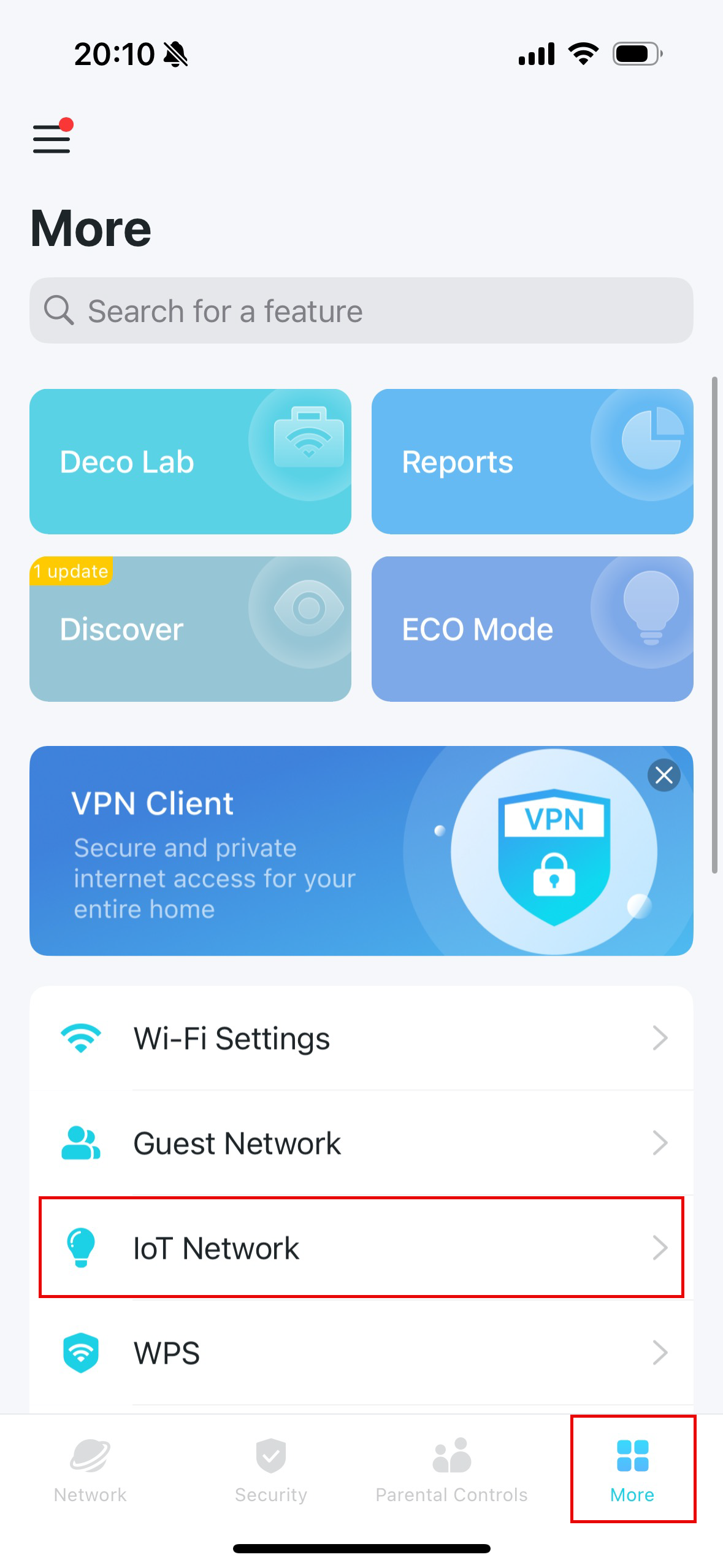
1. 開啟 Deco app 並前往 更多> IoT 網路。
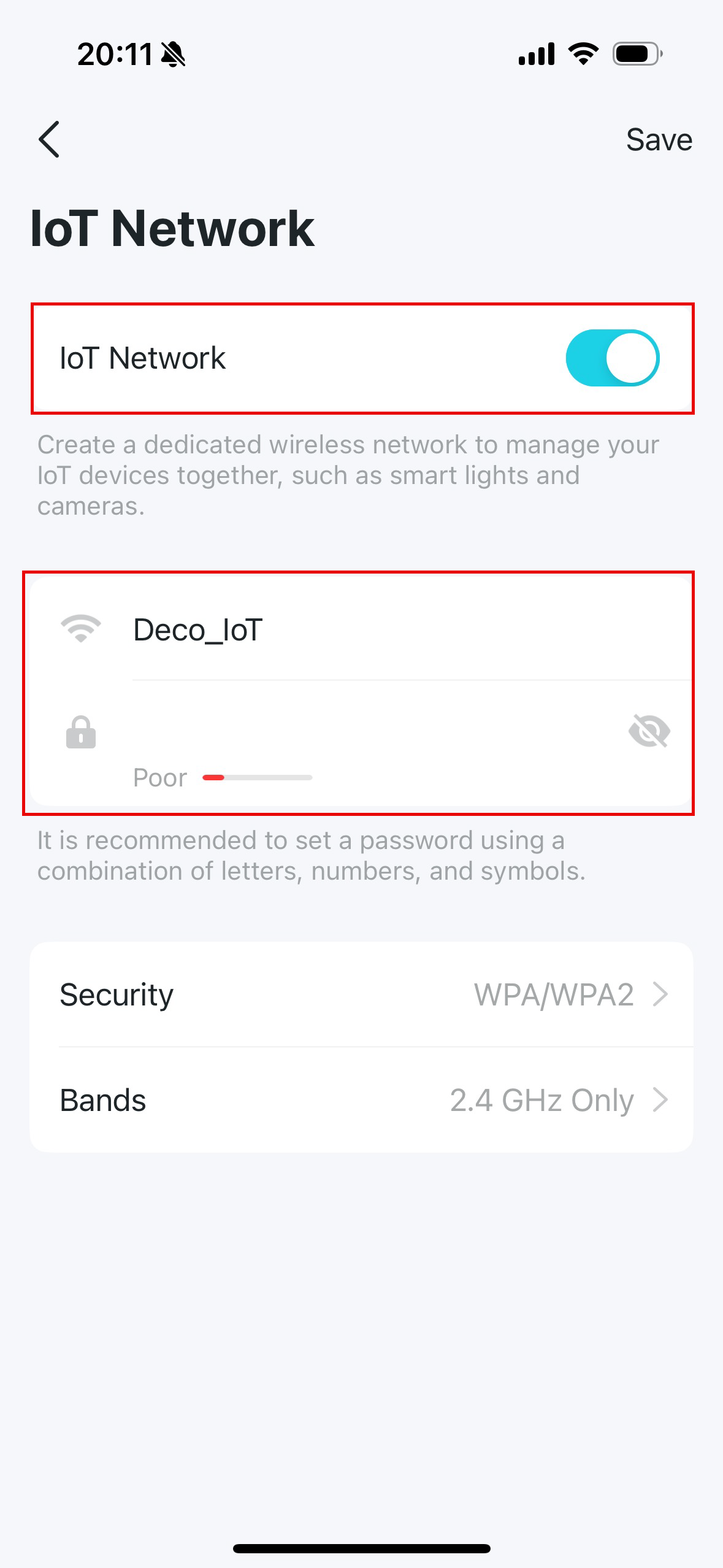
2. 啟用 IoT 網路 並設定該網路的 Wi-Fi 網路名稱和密碼。
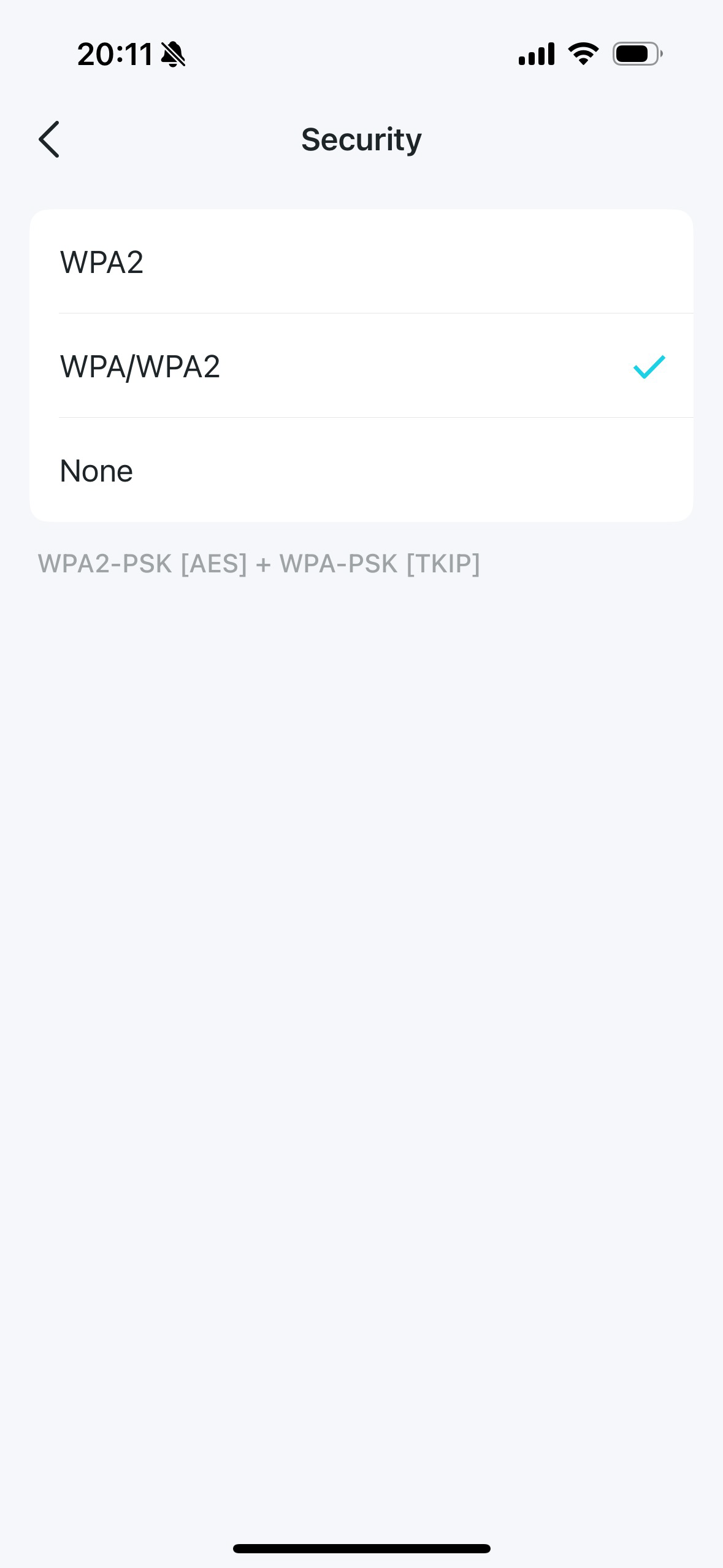
3. 點選 安全性並為該網路選擇 Wi-Fi 安全協定。如果選擇“無”,則無需密碼即可存取 IoT 網路。
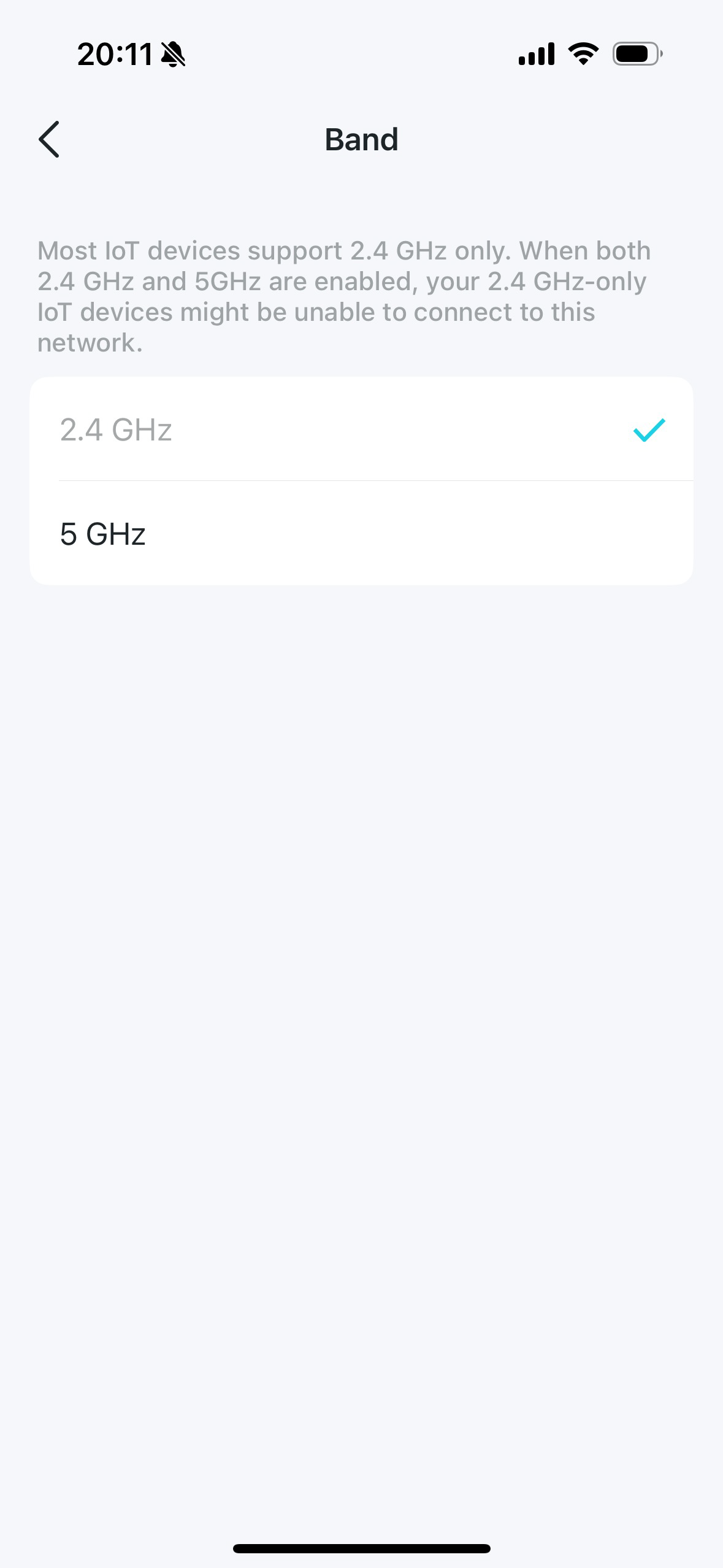
4. 點選 頻段,然後選擇要在此網路中啟用的頻段。
現在,您可以將您的 IoT 裝置連接到專用 IoT 網路。
Looking For More
這篇faq是否有用?
您的反饋將幫助我們改善網站
_US_1.0_F_normal_20231213092414n.png)



TP-Link Community
Still need help? Search for answers, ask questions, and get help from TP-Link experts and other users around the world.