Why does the HTTPS web interface of VIGI IPC and NVR show a “Not Secure” warning in some browsers?
 8322
8322Contents
When accessing the VIGI NVR or IPC interface using the device's IP address through a web browser, the browser will display an untrusted certificate error message. This article explains the cause of this issue.
- VIGI IPC/NVR
- PC
When accessing an HTTPS server, such as YouTube or Facebook, the server presents a certificate. Your browser verifies this certificate using trusted Certificate Authorities (CAs) stored in your OS or browser. If the certificate is issued by a trusted CA, the browser trusts the server.
When logging in to VIGI devices' Local Management via HTTPS to stay extra safe, some web browsers still report 'Not Secure'. The error message reported by some web browsers for VIGI Local Management would be like the following picture:
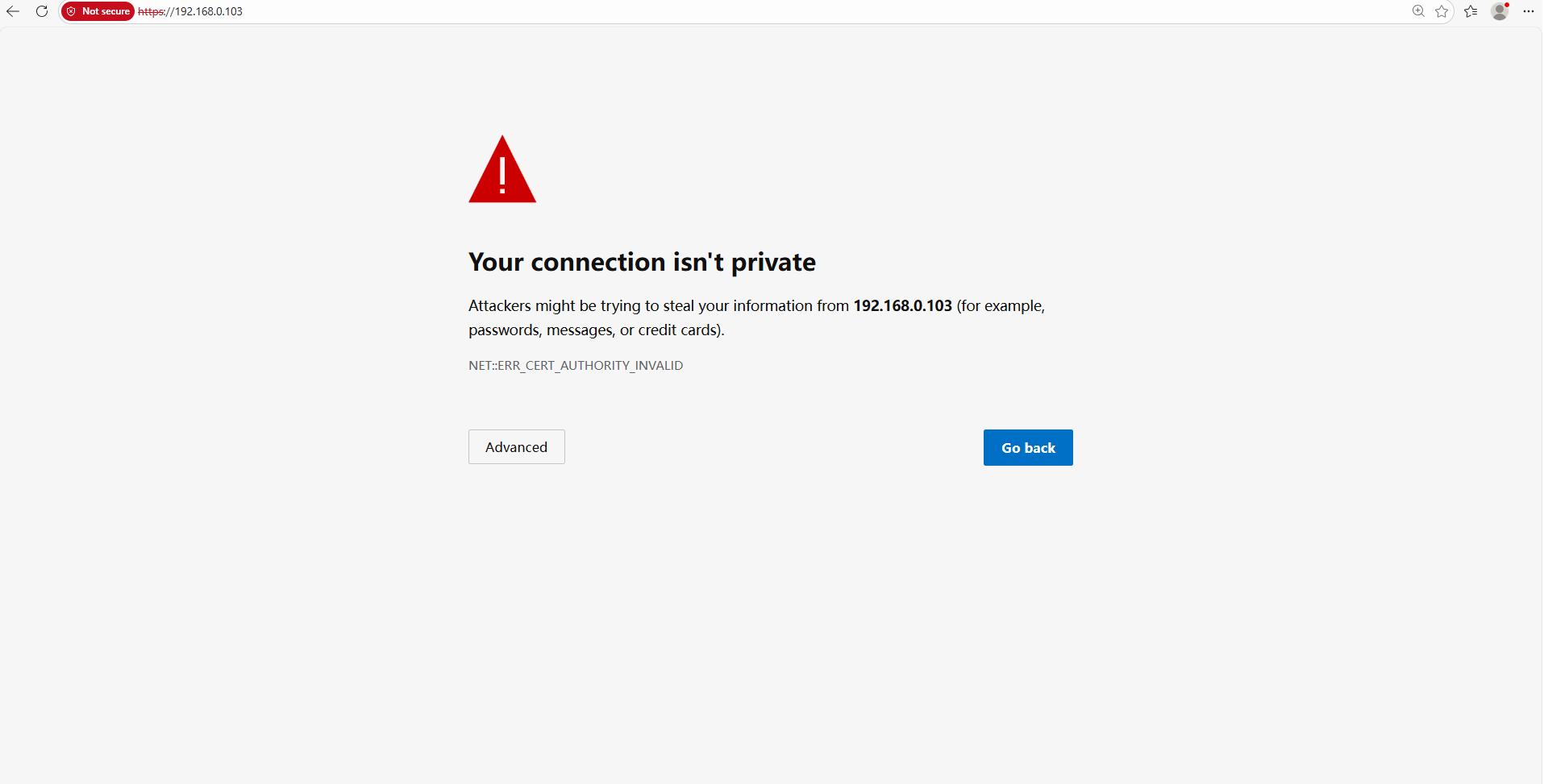
The reason why our browsers recognize VIGI Local Management as "not private" is that VIGI Local Management's Certificate is self-signed. Most browsers do not accept this kind of Certificate because it is not an authoritative CA.
However, even if our self-signed Certificate is not trusted, the connection between your browser and the VIGI devices' Local Management is secure.
A Certificate's purpose is only to allow a client to verify an unknown server. It has nothing to do with the encrypted connection. The data transmitted between the browser (client) and VIGI Local Management (server) remains safe and encrypted. No one else could decrypt the data except the client and the server, because VIGI Local Management uses TLS v1.2 as a secure connection builder. TLS v1.2 is a widely recognized secure connection protocol.
Take Chrome as an example, access the VIGI device IP address and press "F12" on the keyboard, switch to the "Security" tab, and you will see the following information:

Although it can be confirmed that our company's device connection is secure, using a self-signed certificate is still not completely safe. If you want to configure the certificate to eliminate errors, please refer to this link: How to Configure HTTPS Certificate to Avoid Untrusted Certificate Error in VIGI NVR & IPC | TP-Link.
คำถามที่พบบ่อยนี้มีประโยชน์หรือไม่?
ความคิดเห็นของคุณช่วยปรับปรุงเว็บไซต์นี้


