What are the sensitivity settings and how do I control them?
 106850
본 내용은 다음 항목에 적용됩니다:
*Note: All Kasa Cams require and only work with the Kasa for Mobile App
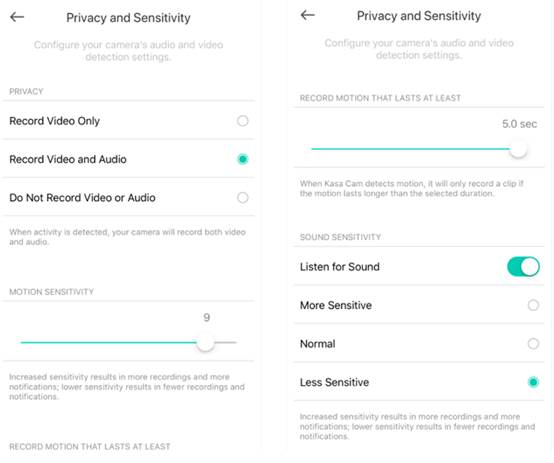
There are two sensitivity settings: Motion and Sound.
Motion sensitivity indicates how little or how much activity must occur to trigger a notification.
Sound sensitivity indicates whether you want to listen for noise or not.
You can access the camera sensitivity settings from the device details page. For motion sensitivity and when sound sensitivity is enabled, your options are more sensitive, normal or less sensitive.
If you need further assistance contact TP-Link Customer Support here.
해당 FAQ가 유용했나요?
여러분의 의견은 사이트 개선을 위해 소중하게 사용됩니다.