How to Update Kasa Device Firmware via the Kasa App
Kasa smart device firmware updates can only be managed through the Kasa app, and firmware can’t be updated manually or through a browser. Keeping your Kasa firmware update current ensures the best performance, security, and access to the latest features on Kasa smart cameras, plugs, switches, and bulbs.
Key Takeaways
- Kasa smart device firmware can only be updated using the Kasa app. No manual or browser-based update is available.
- Before updating, you must be logged into your TP-Link ID and able to control your smart devices through the Kasa app.
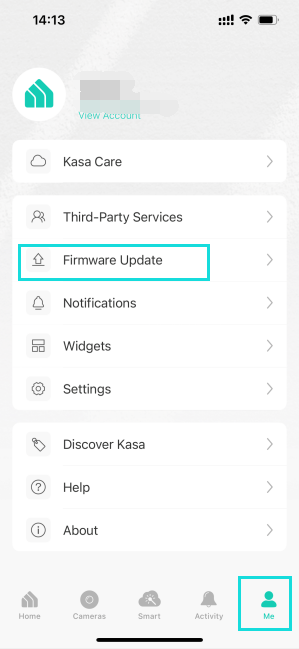
- Firmware updates are found under Me > Firmware Update in the Kasa app.
- If a firmware update is available, tapping it will trigger an automatic download and installation from the cloud.
- Devices should not be operated or controlled until the firmware update has completed.
How to Update Kasa Device Firmware
Step 1. Log into Kasa App with your TP-Link ID and confirm that you can control your Kasa devices.
Step 2. Tap Me at the bottom right, then click on Firmware Update.
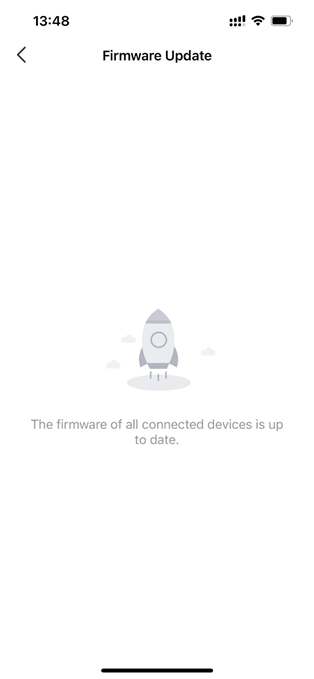
Step 3. If a new firmware is available, tap it to begin. The device will download and install the update automatically from the cloud. Do not turn off the device until the update is complete.
Fail to Update Kasa Device Firmware
If the firmware update fails, see what to do when Tapo or Kasa devices fail to update firmware.
To learn more about each function and configuration, please visit the Download Center to download the manual for your product.
Looking For More
Is this faq useful?
Your feedback helps improve this site.

TP-Link Community
Still need help? Search for answers, ask questions, and get help from TP-Link experts and other users around the world.