
ดาวนโหลดสำหรับ Tapo C645D KIT
- ภาพรวมของผลิตภัณฑ์
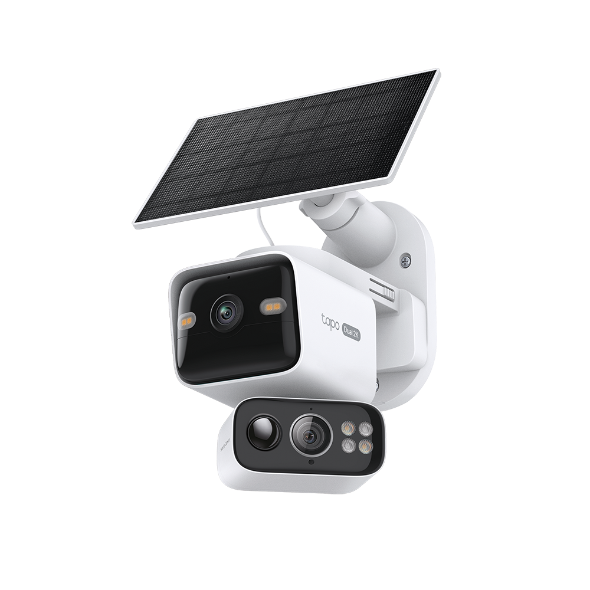 Solar-Powered Dual-Lens Pan/Tilt Security Camera Kit
วิดีโอการตั้งค่า
-
How to Mount Your Solar-Powered Dual-Lens Pan/Tilt Security Camera Kit | Tapo C645D KIT & TC93D KIT
Elevate your home security with the Solar-Powered Dual-Lens Pan/Tilt Security Camera Kit. Benefit from effortless solar power and ensure comprehensive protection with two 2K 3MP lenses that double the coverage, allowing you to capture more with just one device. Experience enhanced visibility and clarity using the telephoto lens, along with features like Synchronized Smart Tracking and One-Tap Smart Focus for a broader and clearer view.
เพิ่มเติม พับเก็บ -
How to Set Up Your Solar-Powered Dual-Lens Pan/Tilt Security Camera Kit | Tapo C645D KIT
Elevate your home security with the Solar-Powered Dual-Lens Pan/Tilt Security Camera Kit. Benefit from effortless solar power and ensure comprehensive protection with two 2K 3MP lenses that double the coverage, allowing you to capture more with just one device. Experience enhanced visibility and clarity using the telephoto lens, along with features like Synchronized Smart Tracking and One-Tap Smart Focus for a broader and clearer view.
เพิ่มเติม พับเก็บ
คำถามที่พบบ่อย
- TP-Link ID คืออะไร
- ทำไมฉันถึงลงทะเบียนไม่ได้?
- จะค้นหาเวอร์ชั่นฮาร์ดแวร์บนอุปกรณ์ TP-Link ได้อย่างไร
- How to Find the Model Number of Your TP-Link Device
- Tapo Care การยกเลิกและการขอคืนเงิน
- How to update or change the payment method for Tapo Care or Kasa Care
- วิธีเพิ่มกล้องใหม่เข้าไปในแผน Tapo Care ของฉัน
- How to configure the Smart Dual Tracking feature for Tapo Dual-Lens Camera
- How to configure the Tap to Focus feature for Tapo Dual-Lens Camera
- How to use Encrypt microSD Card Function on Tapo Camera
- How to fix no sound or audio quality issues on Tapo Camera/Doorbell
- What if I forget my TP-Link ID password for TP-Link Tapo/Kasa device
- ควรทำอย่างไรหากไม่ได้รับอีเมลเมื่อลงทะเบียนบัญชีระบบคลาวด์หรือรีเซ็ตรหัสผ่าน?
- How to make Tapo devices work with IFTTT
- Why do I need to give Local Network permission to TP-Link apps in iOS devices?
- How to reset Tapo Camera
- What can I do if Tapo/Kasa Smart Devices fail to update the firmware?
- How to install and format SD card for Tapo camera
- What should I do if the SD card cannot be formatted/recognized?
- How to view camera SD card recordings on a computer
- How to edit Home and Away Mode for Tapo/Kasa Cameras and Doorbells on the Tapo app
- What should I do if I encounter issues while playing back videos from an SD card?
- How to configure Home feature and Room feature in Tapo app
- Why do I receive a "We Noticed a New Login" email?
- What should I do if Tapo/Kasa notifications are delayed or not working?
- General Questions about Tapo/Kasa Geofencing
- How to find serial number on TP-Link devices
- How to adjust Image Style and Image Brightness on Tapo Camera
- ทำไมฉันถึงไม่ได้รับรหัสยืนยันทาง SMS จากแอป Tapo
- ฉันจะเปิดใช้งานการจับภาพ 24/7 บน Battery Camera ได้อย่างไร?
- How to use Timed Panoramic Photography function in Tapo app
- What is Video Summary
- Cannot make my TP-Link smart devices work with Alexa
- How to use Alexa Snapshot with Tapo Cameras
- How to configure the Notification feature for the Tapo & Kasa devices on the Tapo app
- How to fix a flickering issue on Live View of the Tapo Camera
- How to connect Tapo / Kasa smart device to Google Home
- How to set up routines for Tapo devices via Alexa app
- How to stream Tapo / Kasa Camera on Google device
- How to improve video clarity and quality of Tapo Camera
- How to set privacy zone for Tapo Camera
- Frequently asked questions about the SD Card Encryption feature
- How to set up the Tapo camera
- วิธีการสร้างแผนที่ 3 มิติในแอป Tapo สำหรับ Pad / Tablet
- General questions about Pan & Tilt feature of TP-Link Camera
- The most frequent asked questions about TP-Link Sales
- How can I delete my TP-Link cloud account?
- How to check and improve the network connection stability of Tapo&Kasa smart devices
- How can I conduct 3DS authentication when purchasing Tapo Care
- How to unlink third-party accounts from your TP-Link ID
- How to verify if it’s the hardware issue of TP-Link smart home
- ทำไม TP-Link ต้องการที่อยู่อีเมลของฉัน
- Cannot make TP-Link smart devices work with Google Home
- Tapo/Kasa Devices are showing offline after changing or resetting the router.