CCTV for Warehouses Philippines: Zones, Cameras, and VMS
Published: October 1, 2026
Quick Answer
-
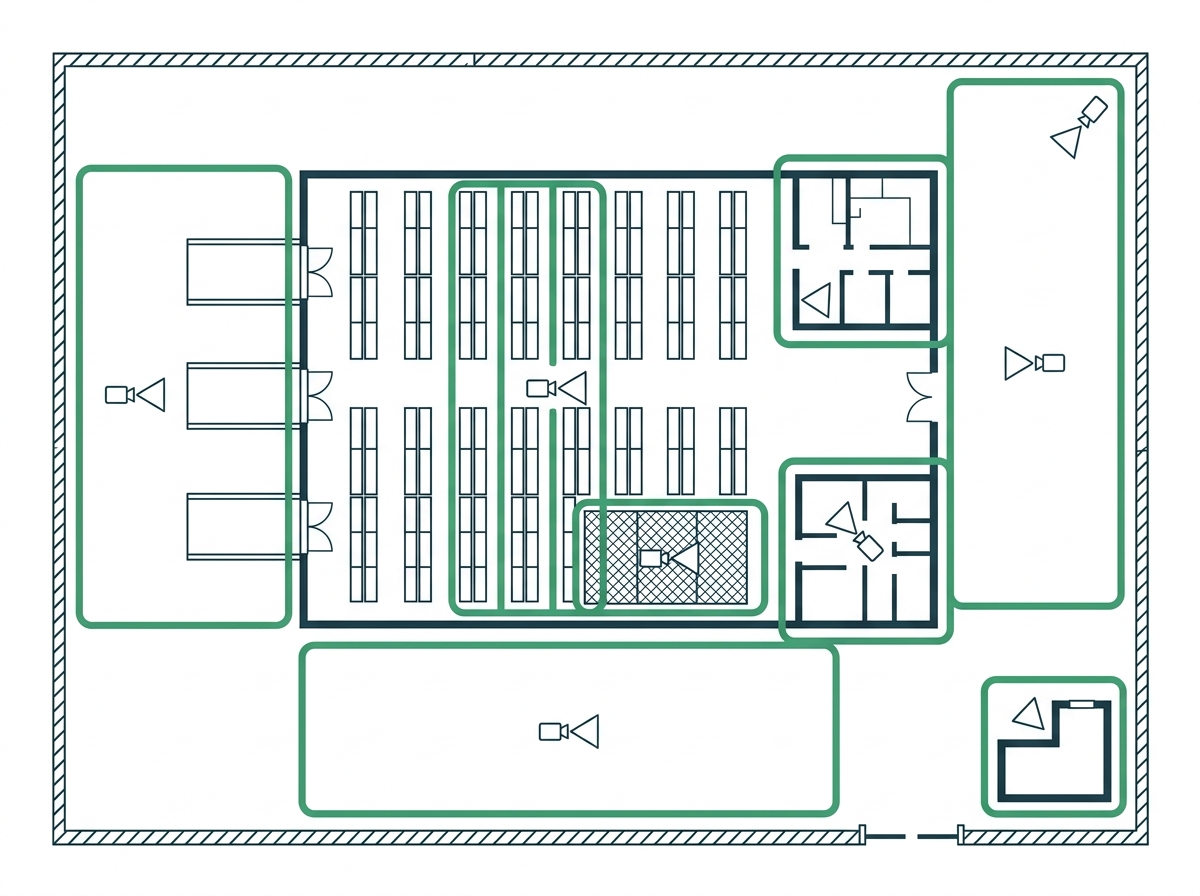
A warehouse CCTV plan starts with risk zones: loading docks, racking aisles, the locked stock cage, the yard and perimeter, the gatehouse, and the office.
-
Bullet cameras with narrower lenses belong at aisle ends, wide turrets at dock doors, and auto-tracking pan-tilt cameras across open yards, with aisle cameras mounted at 4 to 6 meters rather than at the roofline.
-
Sites with more than 16 cameras need more than one NVR, and VIGI Cloud VMS brings every recorder and every warehouse into one dashboard without a local server or VPN.
Warehouse CCTV has to cover distance, height, and empty hours that a shop system never faces. Trucks come and go, pallets move in and out, and after the last shift leaves, a whole building of stock sits behind a single gate. A few cameras over the office door won't cover that. This guide shows how to plan warehouse CCTV zone by zone, pick cameras for high ceilings, and run several sites from one screen.
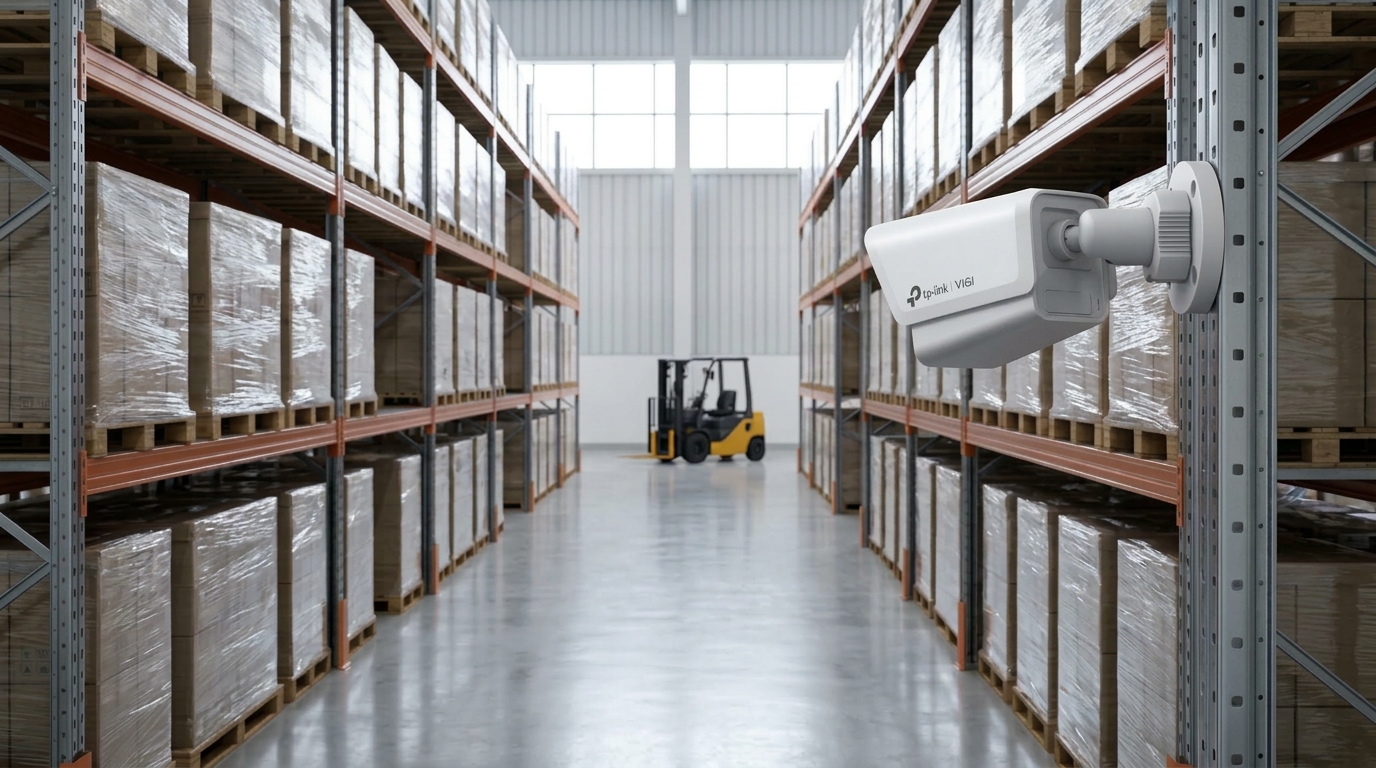
Table of Contents
Why Do Warehouses Need a Different CCTV Plan?
Which Zones Inside a Warehouse Need Cameras?
Which Cameras Work Best in Big Spaces?
How Do You Scale Past One NVR?
How Do You Manage Several Warehouses in VIGI Cloud VMS?
How Do You Keep Warehouse CCTV Running Through Brownouts and Storms?
How Should a Warehouse Handle Footage Requests?
Why Do Warehouses Need a Different CCTV Plan?
Because the buildings are getting bigger, taller, and fuller. Colliers reported in September 2026, as covered by BusinessWorld, that lease rates for modern warehouses across Southern Luzon, Central Luzon, and Metro Manila rose 8% half-on-half in H1 2026, with industrial vacancy down to 13.1%. The same report describes modern warehouses with floor-to-ceiling heights of 12 to 14 meters.
Investment points the same way. PSA data cited by Colliers in BusinessWorld shows Calabarzon drew P100.4 billion in approved foreign investment pledges in 2025, about 37% of the national total. Theft also remains the largest focus-crime category nationwide, according to PNP data reported by the Philippine News Agency. Our small business guide breaks down how theft trends put Philippine businesses at risk.
Our business surveillance guide shows how warehouse surveillance fits into a complete business security plan. Warehouses add three problems on top:
- Scale. Long distances mean wide lenses lose detail fast.
- Height. Tall racks block views, and a 12-meter ceiling changes the mounting math.
- After-hours risk. A large, empty building overnight needs alerts, not just recording.
Which Zones Inside a Warehouse Need Cameras?
Six zones, each with a different job. Map them on your floor plan before you choose a single camera, and apply the sizing and layout principles that warehouse deployments rely on to decide how many cameras each zone takes.
|
Zone |
Main Risk |
What the Camera Needs to Show |
|
Loading docks |
Short shipments, pallet diversion, truck damage claims |
Plate numbers, pallet counts, dock door activity |
|
Racking aisles |
Pilferage, stock misplacement |
People and forklift movement end to end |
|
Locked stock cage |
Targeted theft of electronics, medicines, or cigarettes |
Faces and hands at the cage door |
|
Yard and perimeter |
Fence breaches, trailer and cargo theft |
People and vehicles after hours |
|
Gatehouse |
Unlogged entries and exits |
Faces, plates, and ID checks |
|
Office and cashier |
Document and cash handling |
Clear view of desks and safes |
Which Cameras Work Best in Big Spaces?
Match each camera to the distance and the light it will face.
Bullets with narrower lenses for aisles. Mount one at the end of each aisle and point it down the length. A narrower lens puts more pixels on the far end, where a wide lens shrinks people to a few dots.
Turrets and domes for docks and offices. Wide 2.8 mm views cover dock doors and interior rooms from close range. Pick models with strong WDR at dock doors, where bright daylight floods in behind a dark interior.
Pan-tilt cameras for yards. One pan-tilt camera with auto-tracking can follow a person or truck across a wide lot. The VIGI C540S adds automatic tracking and ColorPro color night vision.
Color night vision works where lighting is poor. Warehouse yards are rarely lit like a store. VIGI ColorPro models record color in very low light, which helps when you need to tell a red truck from a white one. See how to choose IR range and lenses for night coverage.
Smart detection for after-hours. A virtual line across the fence or yard entrance, set to alert only on people and vehicles, keeps night alerts worth opening. Our guide to detection rules for after-hours yards and fence lines shows which rule fits each spot.
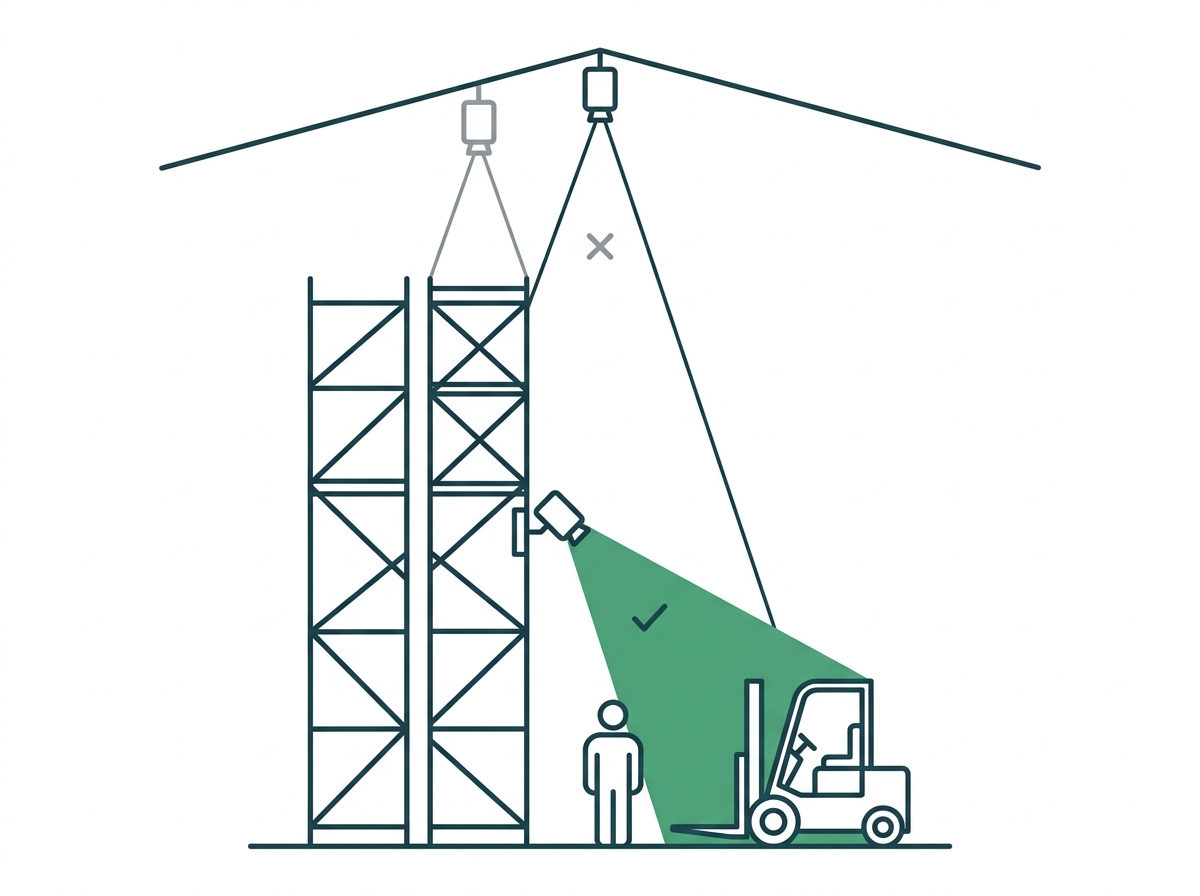
Mount at 4 to 6 meters, not at the roofline. With 12- to 14-meter ceilings, a camera at the top looks straight down on rack tops and hard hats. Mount aisle cameras on rack ends or columns, where they can see faces and forklift operators.
How Do You Scale Past One NVR?
Plan the recording side in blocks. A mid-size warehouse with docks, aisles, a yard, and a gatehouse passes 16 cameras quickly, and two buildings can pass 32.
- Group cameras by zone. One NVR for the building interior, another for the yard and perimeter. If one unit fails, the other keeps recording.
- Check channel counts. The VIGI NVR2016H handles 16 channels with two drive bays, each rated up to 16 TB. For bigger buildings, 32- and 64-channel recorders like the VIGI NVR4032H and NVR4064H take the whole site on one box.
- Check bandwidth. Add up each camera's bitrate and compare it with the NVR's incoming limit, which is 80 Mbps on the current NVR2016H.
- Respect the 100-meter limit. An Ethernet run, PoE included, tops out at 100 meters from switch to camera. Put a PoE switch closer to distant camera groups and link it back to the NVR, so no single cable runs the length of the building.
- Size the drives for every recorder. Our guide to help you size drives for a multi-NVR site walks through the math.
We also explain why an NVR beats a DVR at warehouse scale.
How Do You Manage Several Warehouses in VIGI Cloud VMS?
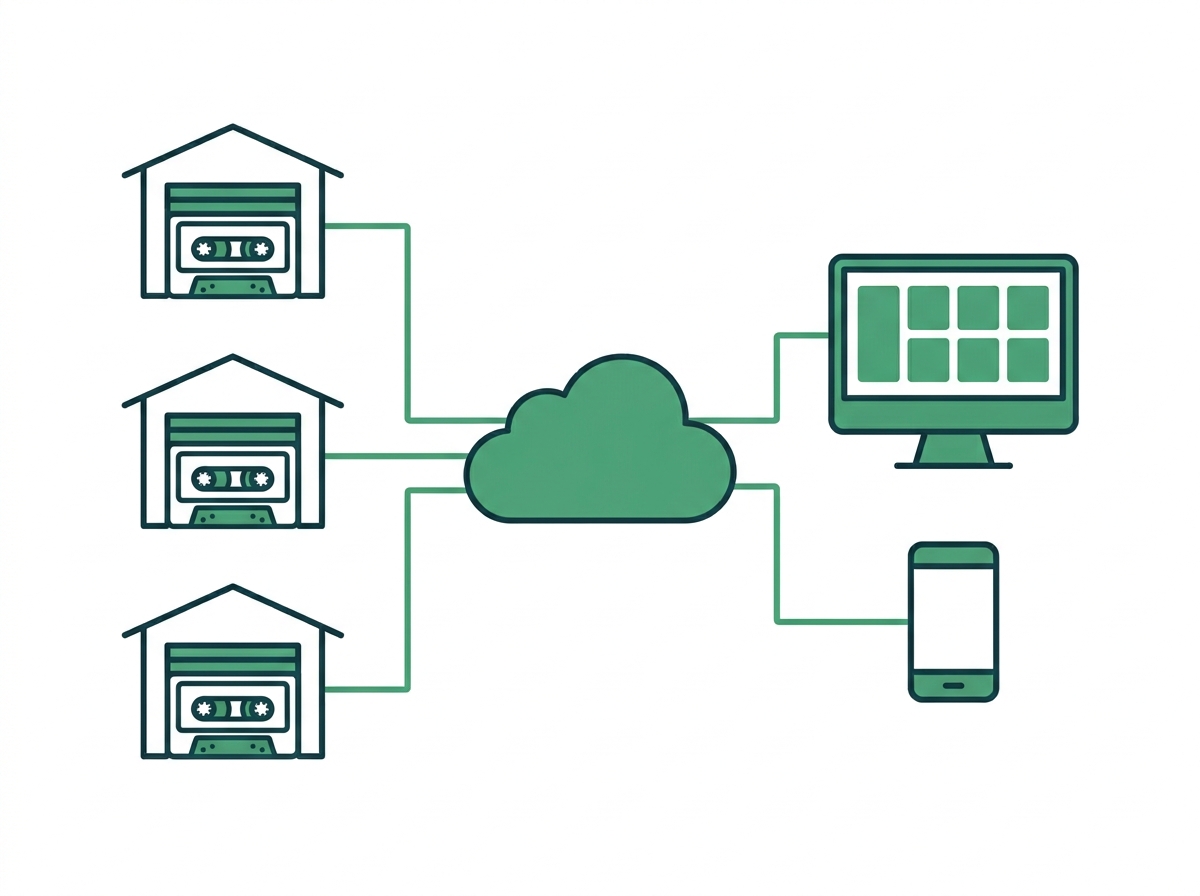
Add each warehouse as a site and run them all from one account. Once you have more than one NVR or more than one building, switching between apps gets old. VIGI Cloud VMS brings everything into one dashboard.
What it gives a warehouse operator:
- No server, no VPN. Cloud VMS is hosted in the cloud, so there is no local server to deploy and no remote-access VPN to maintain.
- Sites that match your org chart. Group locations as organization, site, and sub-site, with no cap on the number of sites and up to 256 channels per site.
- Map monitoring. Place cameras on a floor plan or site map, then open any camera with one click.
- A real security desk. Watch up to 64 channels at once on the VIGI PC Client, or 16 on the web and the VIGI App.
- One event list. Alerts from every site land in one place, and event records stay available for 180 days.
- Permissions per site. Assign roles such as Admin, Viewer, and Live Only site by site, so the gate guard at one warehouse can watch live video there without browsing another's footage.
- Maintenance without the drive. Configure devices remotely, push firmware upgrades online, troubleshoot without a site visit, and get device health alarms before a camera quietly drops out.
VIGI announced its Free Cloud VMS in October 2025. The Essential version is free, and some advanced features sit in paid tiers, so confirm what your plan includes.
Each site still needs a stable uplink. On a PLDT, Globe, or Converge business line, check upload speed before you promise the security desk smooth live view from a dozen cameras at a remote branch.
How Do You Keep Warehouse CCTV Running Through Brownouts and Storms?
Protect the recorders first, then the outdoor gear. Most typhoons reach the country between July and October, according to PAGASA, and that is also peak season for power interruptions, flooding, and roof leaks.
- Back up the power. A UPS on every NVR and PoE switch keeps a short outage from becoming a gap in your footage. See how much UPS backup a recorder needs.
- Raise the equipment. Keep recorders off the floor and away from dock doors in flood-prone areas.
- Harden the outdoor cameras. Yard and gatehouse cameras face the same wind-driven rain as any exterior camera, so read what Philippine weather does to outdoor cameras before you choose ratings and mounts.
- Check after every storm. Wind shifts camera angles. Add them to your weekly-to-annual camera maintenance checklist.
How Should a Warehouse Handle Footage Requests?
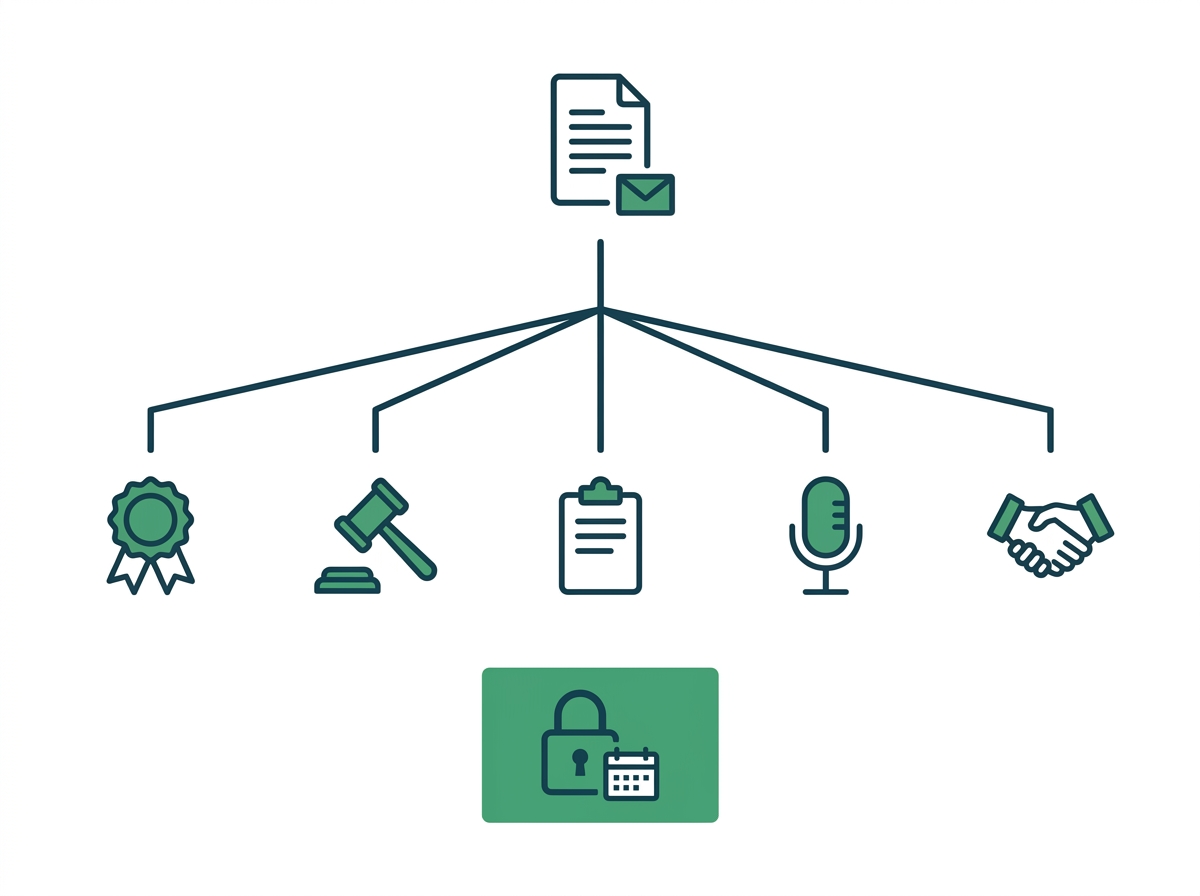
Treat each request based on who is asking, and freeze the footage the moment a written request arrives. Warehouses get requests often, from clients disputing deliveries, insurers, truckers, and police. The National Privacy Commission's CCTV circular sets out how to handle them.
- Law enforcement. Cooperate with requests tied to a criminal investigation. The officers need to give you a written statement, affirmative declaration, or equivalent that establishes the request is lawful.
- Court orders. Footage can be released under a lawful order from a competent court.
- Administrative investigations. Footage can be used, as long as the requester shows proof of the investigation or a pending complaint.
- Media. You are not obliged to release footage to the media unless there is a lawful basis under the Data Privacy Act.
- Clients, insurers, and other third parties. Evaluate each case and release footage only with a lawful basis.
Preservation. Once someone asks in writing to view or copy footage, pull that footage out of your normal retention cycle. Keep it until the request is fulfilled, the requester abandons it by not completing the requirements within 30 days, or the NPC affirms your denial after a complaint.
Write these steps into your CCTV policy. When a trucker disputes a shortage six days later, you want the process and the footage ready.
Frequently Asked Questions
Can a dock camera capture truck plate numbers?
Yes, with the right placement. Plates need identification-level detail, so a wide dock camera covering three doors rarely reads them. Add a dedicated camera near the dock approach or gate, set low and close with a narrower lens, and pick a model with strong WDR so headlights and bright sky don't wash the plate out. Test it with a parked truck before you finalize the angle.
Should warehouse cameras run on their own network?
Yes, for any site with more than a handful of cameras. Keeping cameras on a separate switch or VLAN stops video traffic from slowing the scanners, printers, and office PCs your operation depends on. It also limits who on the office network can reach the recorders. Ask your installer to document which switch ports carry cameras, so a later IT change doesn't cut them off.
What happens to recording if the warehouse internet goes down?
Recording carries on. The NVR writes footage to its own drives on the local network, so an ISP outage only cuts remote viewing and cloud alerts. Once the connection returns, the site reappears in VIGI Cloud VMS and the App. Put the router and modem on the same UPS as the NVR, so a brownout doesn't take remote access down with it.
How long should a warehouse keep footage for delivery disputes?
Long enough to cover your slowest complaint. Check the claim windows in your client and trucking contracts, then add a buffer for disputes that surface late. Write that period into your CCTV policy and size the drives to hold it. If clients routinely raise shortages two or three weeks after delivery, a short loop that overwrites footage in ten days will fail you.
Can cameras handle the heat under a warehouse roof?
Most can, if you check the rating. Metal roofs trap heat, and the air near the top of a 12-meter building runs far hotter than at floor level. Look at the operating temperature range on each camera's datasheet, keep cameras out of direct sun on the roof edge, and give the NVR a ventilated cabinet in a cooler room, since drives wear faster in heat.
Can the gate guard watch cameras without seeing the whole site?
Yes. Set privileges per user so the guard sees only the gatehouse and yard cameras, while supervisors see their building and managers see every site. Limiting live feeds to named, authorized staff also keeps you in line with your CCTV policy. Review the user list whenever a guard agency rotates personnel, and remove accounts the day someone leaves.
Do forklifts and dust affect warehouse cameras?
They do, and both are easy to plan for. Mount aisle cameras above forklift mast height so a raised load can't strike them, and use vandal-resistant housings where contact is likely. Dust settles on lenses and dims night footage, so add lens cleaning to the monthly routine, especially near dock doors and in cement, feed, or packaging operations.
Final Thoughts
When a client swears a pallet never arrived, the only answer that settles it is clear dock footage from that morning. Warehouse CCTV works when it follows the operation: map the docks, aisles, yard, and cage, fit each zone with the right camera, spread the recording across more than one NVR, and pull every site into one dashboard. Add a written footage policy, and the system holds up through typhoon season and delivery disputes alike.
Running offices as well? You can compare warehouse coverage requirements with a standard office setup. For security planning across every sector and site, read Surveillance Solutions for Philippine Businesses.
Tired of checking three apps to see three buildings? Start with VIGI Cloud VMS to bring every site into one view, and the VIGI NVR2016H for 16-channel blocks. Browse VIGI cameras built for docks, aisles, and yards, or have a VIGI reseller design a multi-NVR system for your site.